6 Best 16 Inch Gaming Laptops for Power and Portability in 2026
The short answer
A 16 inch gaming laptop is the best size for most buyers who mainly game at a desk. It holds a bigger battery and better cooling than a 14-inch model, so it keeps its speed longer during a real session.
A 16 inch gaming laptop is the size most buyers land on once they compare the trade-offs. It is not the lightest option. It is not the biggest either. It sits in the middle, with real room for cooling and battery.
A 16 inch gaming laptop holds its performance longer than a 14-inch model, since it has more room for fans and a bigger battery. It is the better pick if you mostly game at a desk rather than on the move.
This guide is part of our best gaming laptop guide, which covers GPU tiers, screens and budgets for every size.
We chose these from current US listings and each maker's published specs. They are grouped by the buyer they suit, from tight budgets to desktop replacements.
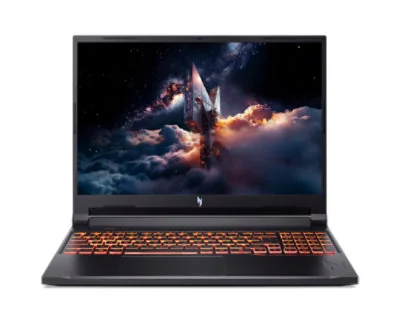
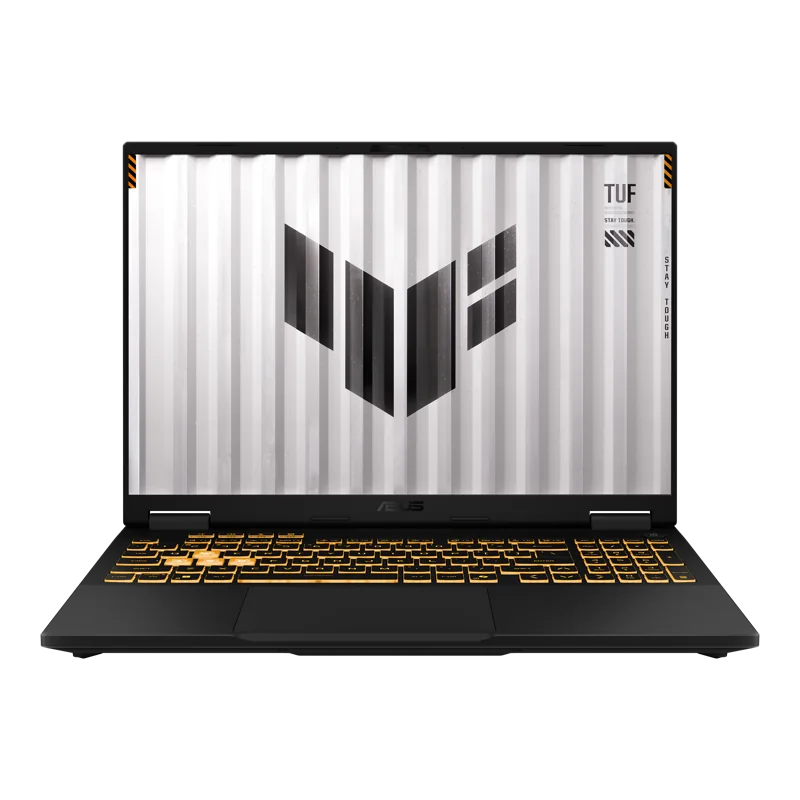
#1. ASUS TUF Gaming F16 (RTX 5050): Best on a tight budget
Keep in mind: the 512GB drive and entry-tier GPU mean medium settings and a storage upgrade soon.
The TUF Gaming F16 runs its RTX 5050 at up to 115W, and ASUS lists that figure plainly. The 16-inch 1920 x 1200 screen hits 165Hz and covers 100% of the sRGB color range. It is tested to MIL-STD-810H and cools with ASUS's Arc Flow fans and a full-width heatsink. It suits esports titles and older games, and newer games at medium settings.
#2. Acer Nitro V 16 (RTX 5050): Best for upgrade room
Keep in mind: the RTX 5050 is an entry-tier GPU, so new games need medium settings.
The Nitro V 16 pairs an RTX 5050 with an Intel Core 7 240H and a 16-inch 1920 x 1200 screen at 180Hz. It has 16GB of DDR5 in two slots, with room for up to 32GB, and a 1TB PCIe Gen 4 drive. Cooling uses two fans with four intakes and four exhausts. It weighs 5.29 pounds.
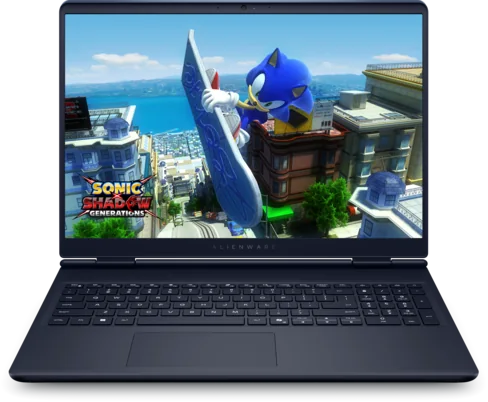
#3. Alienware 16 Aurora (RTX 5060): Best for on-site support
Keep in mind: you pay more for the brand and support than for extra GPU power.
The Alienware 16 Aurora pairs an RTX 5060 with an Intel Core 7 240H and a 16-inch 2560 x 1600 screen. Dell's Cryo-Chamber design focuses airflow on the main components, and the chassis doesn't need a rear thermal shelf. Check the seller's warranty and service terms before buying.
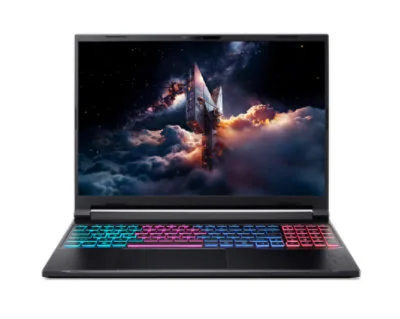
#4. Acer Nitro V 16S AI ANV16S-61-R3Z0 (RTX 5070): Best for a sharper screen
Keep in mind: the RTX 5070 has 8GB of video memory; demanding games at native 1600p may need reduced settings.
The Nitro V 16S AI ANV16S-61-R3Z0 steps up to an RTX 5070 and a sharper 2560 x 1600 screen at 180Hz. It pairs them with an AMD Ryzen AI 7 350, 16GB of DDR5 and a 1TB SSD. The GPU has 8GB of video memory, so demanding games at native 1600p may still need reduced settings.
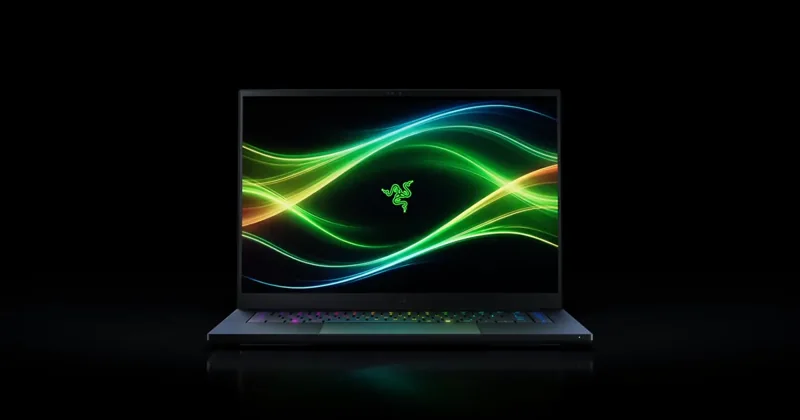
Keep in mind: you pay a premium for the build, and the memory is soldered.
The Blade 16 shows how thin a 16-inch gaming laptop can get: 14.9mm, in CNC-machined aluminum. It still runs an RTX 5070 Ti at up to 140W, cooled by a vapor chamber. The 2560 x 1600 OLED screen runs at 240Hz. The 32GB of memory is soldered, but there are two M.2 slots for storage.
#6. Lenovo Legion Pro 7i Gen 10 (RTX 5080): Best desktop replacement
Keep in mind: heavy and power hungry, so it lives on a desk more than in a bag.
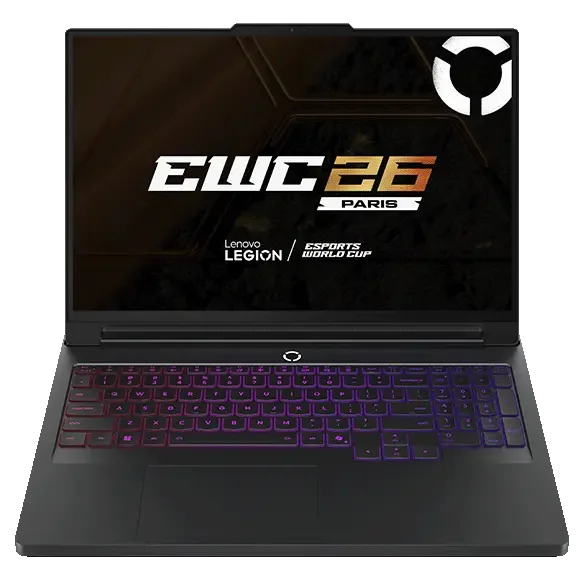
The Legion Pro 7i Gen 10 is the desktop replacement of the group. It pairs an RTX 5080 with an Intel Core Ultra 9 and a 16-inch OLED screen. Buy it for 1440p at high settings, not for carrying every day.
Factors to consider when choosing a 16 inch gaming laptop
Compare the GPU tier across models at your price point. A 16-inch chassis can house a wide range of GPU tiers. Check the display resolution and refresh rate together, not separately. Look for a dual-fan cooling design if long sessions matter to you.
Finally, check the weight listed on the spec sheet if you plan to carry the laptop at all. A 16-inch model varies more in weight between brands than you might expect, so it is worth comparing the exact number rather than assuming.
Why the 16 Inch Size Balances Power and Practicality
A 16-inch chassis has more internal space than a 14-inch model. That space goes toward bigger fans, more heat pipes, and a larger battery. All three of those parts affect how a laptop performs once you have been gaming for a while, not just in the first few minutes.
This extra room means a strong GPU can run closer to its full rated speed for longer. A 14-inch laptop with the same GPU may need to slow down sooner to stay cool. The 16-inch size is not about the screen. It is about what fits around the screen.
Who Should Buy a 16 Inch Gaming Laptop
This size fits someone who mostly games at a desk, whether at home or in a dorm room. If the laptop rarely leaves that spot, the extra weight barely matters. What matters more is getting the most sustained performance for your budget.
It is a weaker fit if you travel often and need the lightest possible laptop. In that case, a 14-inch model trades some sustained speed for a lighter bag. Neither choice is wrong. It depends on how you actually use the machine day to day.
Content creators who edit video alongside gaming also tend to prefer this size. A bigger screen makes editing timelines easier to see. The stronger cooling also helps during long render times, not just during games.
Someone upgrading from a desktop for the first time may also want to start here. A 16-inch laptop feels closer to a desktop in raw capability than a 14-inch one does. It still can't fully match a desktop at the same price, though.
Screen Size, Resolution, and Refresh Rate
A bigger 16-inch screen makes both games and everyday work easier to see in detail. Many current 16-inch gaming laptops pair that size with a 1440p or higher resolution and a fast refresh rate. That combination needs a strong enough GPU to make full use of it, so check both specs together.
A high refresh rate matters most for fast, competitive games. A high resolution matters more for open-world or story games where detail counts more than raw speed. A 16-inch panel gives you room for both without feeling cramped.
Cooling and Sustained Performance
The main reason to choose a 16-inch laptop is cooling. A dual-fan design with a vapor chamber fits more easily into this size than a smaller one. That setup lets the GPU run near its top speed for a full gaming session, not just a quick burst.
Check the exhaust vent placement too. A well-placed vent keeps hot air away from your hands and the keyboard during long sessions. This detail is easy to miss on a spec sheet, but it affects comfort during real use.
Fan noise is worth considering as well. A dual-fan design under heavy load can run loud, especially in a quiet room. Some 16-inch laptops offer a quiet mode that trades some performance for lower noise, which is worth checking if you share a room or work near others.
Battery Life and Everyday Use
A bigger battery cell means a 16-inch laptop usually lasts longer than a smaller one for everyday tasks like browsing or writing. Gaming itself still drains the battery fast on any size, since the GPU is the biggest power draw in the whole machine.
Some buyers use the laptop for schoolwork or office tasks during the day and gaming at night. For them, the longer unplugged time for light use is a real, practical benefit of this size.
Charging speed also matters for a laptop this size. Some 16-inch models support fast charging for everyday tasks through a USB-C port. Full-speed gaming still needs the larger power brick that comes in the box, so pack that brick for any trip where you plan to game.
Ports and Connectivity
A 16-inch chassis usually has more room for ports than a smaller laptop. Look for full-size HDMI, at least one USB-C port with video output, and enough regular USB ports for a mouse and headset without needing a dongle.
Wired ethernet is a useful extra for online gaming, since a stable wired connection avoids the small delays that can come with Wi-Fi. Not every 16-inch laptop includes it, so check the port list if a steady connection matters to you.
An SD card slot is another common extra at this size, useful for anyone who also handles photo or video files. Storage expansion options are worth checking too, since some 16-inch laptops make it easier to add a second drive later than smaller models do.
A dedicated headphone jack is also more likely to survive on a 16-inch design than on a very thin, small laptop. There is simply more edge space for it. If you use wired audio for gaming, this is one more small reason the bigger size can be the more practical choice. It adds to the cooling and battery gains already covered on this page.
GPU Tiers That Make Sense at This Size
A 16-inch chassis can house nearly the full range of laptop GPU tiers. That spans from entry-level up to the highest current tier. The extra cooling room means even a strong GPU can run near its full rated speed here. A smaller laptop might hold that same GPU back instead.
This makes the 16-inch size a good match for buyers who want to spend on a higher GPU tier and actually get the performance that tier promises. Checking the exact GPU model and its power limit is still worth doing, since even at this size, brands can tune the same chip differently.
If your budget points you toward an entry or mid-tier GPU instead, a 16-inch chassis still helps. That tier still runs cooler and steadier than it would in a smaller laptop. The size benefit applies across the whole GPU range, not just at the top.
Keyboard, Trackpad and Everyday Comfort
A 16-inch chassis usually has room for a full keyboard layout. This often includes a numeric keypad that a 14-inch model may skip. This is a real benefit if you use spreadsheets or other work that relies on quick number entry.
Key travel and spacing also tend to be more generous at this size. This can make a real difference for anyone typing for long stretches during the day. The trackpad is typically bigger too, which helps with everyday navigation even though most gaming is done with a separate mouse.
Upgrading a 16 Inch Gaming Laptop Later
Many 16-inch gaming laptops offer more room for user upgrades than smaller sizes. Some models let you add memory or swap the storage drive after you buy, which can extend how long the laptop stays useful without needing a full replacement.
Check the manufacturer's own documentation for exactly which parts are upgradable on the specific model you're considering, since this varies even within the same brand's lineup. A model that allows a memory upgrade later can be a smarter buy than a slightly cheaper one that locks you in from day one.
Thermal Design and Noise at This Size
The extra room in a 16-inch chassis usually means better airflow paths and larger fans than a 14-inch model. Larger fans can often move the same amount of air at a lower speed. This can mean a quieter laptop under load, compared to a smaller one working just as hard.
Many 16-inch gaming laptops include multiple performance modes, letting you trade some sustained speed for a quieter, cooler laptop when you don't need maximum performance. This flexibility is worth checking for if you split your time between gaming and quieter everyday tasks in the same room as others.
Cleaning dust from the cooling system matters here too, just as it does on any laptop. A 16-inch design with an easily removable bottom panel makes this upkeep simpler over the years you own the machine.
Comparing a 16 Inch Laptop to a Desktop
If your gaming mostly happens at a desk, it is worth comparing a 16-inch gaming laptop to a desktop at a similar price. A desktop tends to deliver more graphics performance for the same money. It doesn't need to fit a battery and a portable design into the same case.
A 16-inch laptop still wins if you want to move it between rooms sometimes. This holds even if you rarely leave the house with it. It also wins if you want one machine that covers gaming, schoolwork, and everyday browsing. You avoid setting up a separate desk rig that way.
A desktop is worth a second look if you are fully settled at one desk and never plan to move the machine. In that case, the laptop's portability buys you little, and a desktop puts more of your budget directly into graphics power.
Verdict on the 16 Inch Gaming Laptop
A 16 inch gaming laptop is the right pick for most people who mainly game at a desk. The extra room for cooling and battery keeps performance steady during a full session. If you need the lightest possible laptop for daily travel, a 14-inch model is the better trade. It gives up some sustained speed to get there, but it is easier to carry every day. Either way, matching the size to how you actually use the laptop matters more than chasing the biggest screen or the lightest frame on its own.
FAQ
Is a 16 inch gaming laptop better than a 14 inch one?
For sustained performance at a desk, yes. A 16-inch chassis has more room for cooling and battery, so a strong GPU keeps its speed longer. A 14-inch laptop is better if portability matters more to you than top sustained speed.
Is a 16 inch gaming laptop too big to carry?
It is heavier than a 14-inch model, but still fits in most backpacks. If you rarely leave your desk, the extra size is a fair trade for better cooling and a bigger screen.
What GPU tier fits a 16 inch gaming laptop?
A 16-inch chassis has room for mid to high-tier current GPUs to run at their full rated speed. Lower-tier chips also fit and run coolly, so the size works across most budgets.
Does a bigger screen mean better gaming?
A bigger screen helps with detail and immersion, but refresh rate and resolution matter more for actual gameplay feel. Check those specs alongside the screen size rather than judging by size alone.
Do 16 inch gaming laptops have good battery life?
They usually last longer unplugged for everyday tasks than smaller gaming laptops, thanks to a bigger battery cell. Gaming itself still drains the battery fast on any size, since the GPU is the main power draw.