
Our verdict:
Best for Most Photographers
Best for photographers and developers who need a bright, color-accurate screen and fast exports.
View at AppleKeep in mind: 16GB of memory is fixed, so heavy multitaskers should look at the M5 Pro.
Video Editing Laptops
The short answer
The best laptop for photo editing for most photographers is the Apple MacBook Pro 14 (M5), which pairs a bright, color-accurate Liquid Retina XDR screen with fast Apple silicon. The MacBook Air 15 (M4) is the lighter value pick, and on Windows the Dell XPS 14 and Lenovo Slim 7i Aura Edition Gen 10 offer sharp screens in thin bodies.
Apple MacBook Pro 14 (M5)View at AppleRead our analysis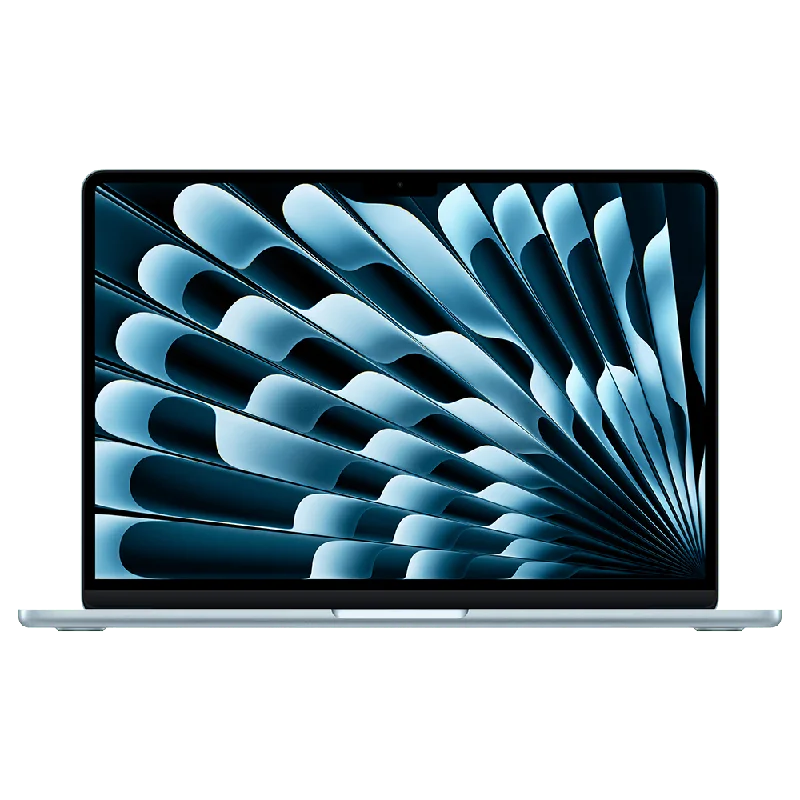 Apple MacBook Air 15 (M4)View at AppleRead our analysis
 Dell XPS 14View at DellRead our analysis
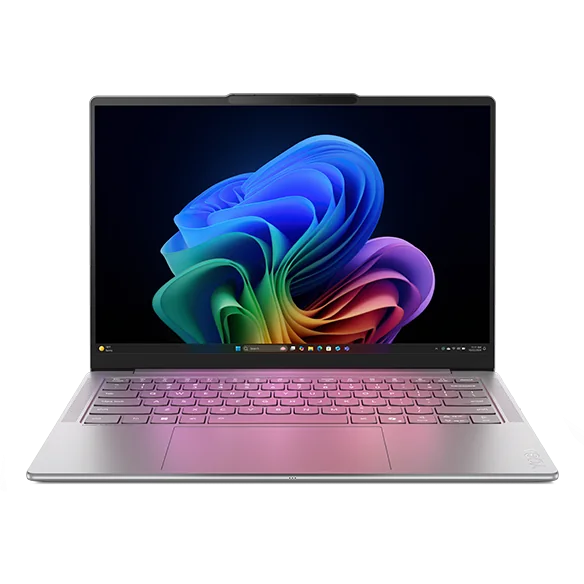 Lenovo Slim 7i Aura Edition Gen 10 (14-inch)View at LenovoRead our analysis
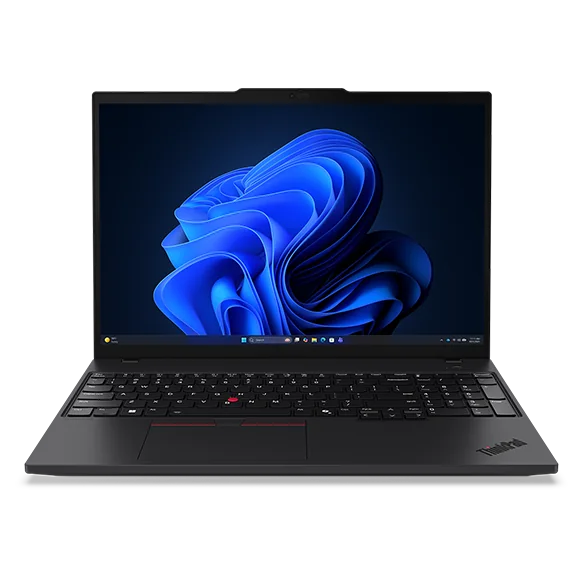 Lenovo ThinkPad P16s Gen 4View at LenovoRead our analysis
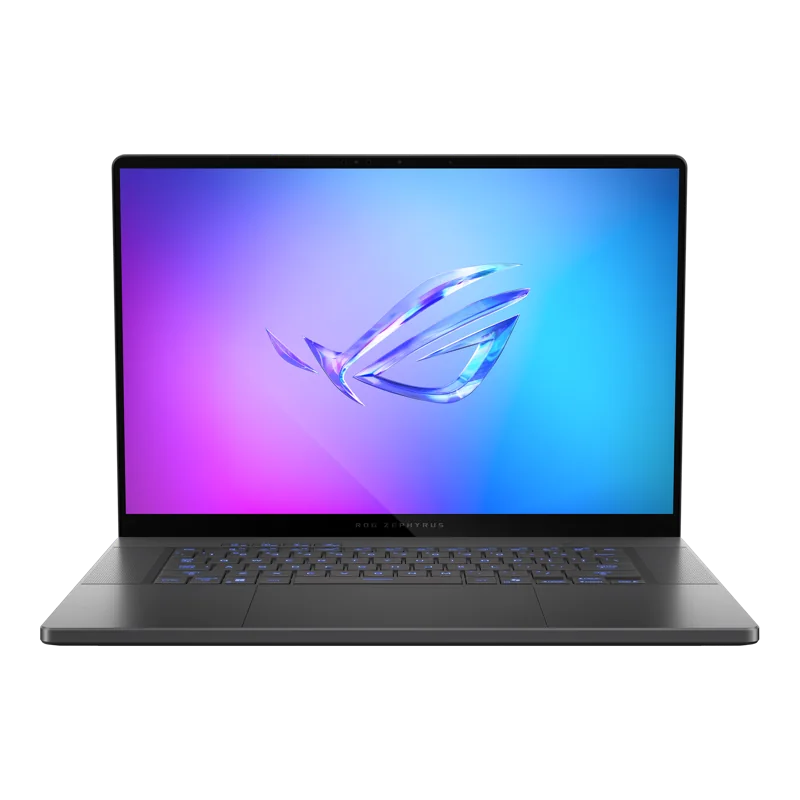 ASUS ROG Zephyrus G16 (RTX 5070)View at ASUSRead our analysis
The best laptop for photo editing starts with the screen. Every edit you make depends on seeing color and tone accurately, so a fast processor paired with a dull or inaccurate panel is a poor buy for photographers. After the screen, memory decides how smoothly Lightroom and Photoshop handle big files, and storage decides how many you can keep on hand.
Short answer: the Apple MacBook Pro 14 (M5) is the best laptop for photo editing for most photographers. The MacBook Air 15 (M4) is the lighter value pick. On Windows, the Dell XPS 14 and Lenovo Slim 7i Aura Edition Gen 10 offer sharp, wide-color screens in thin bodies.
This guide is part of our best laptops for video editing hub, which covers the video side.
Adobe publishes Lightroom Classic system requirements and Photoshop system requirements you can check against any laptop.
Our verdict:
Best for Most Photographers
Best for photographers and developers who need a bright, color-accurate screen and fast exports.
View at AppleKeep in mind: 16GB of memory is fixed, so heavy multitaskers should look at the M5 Pro.
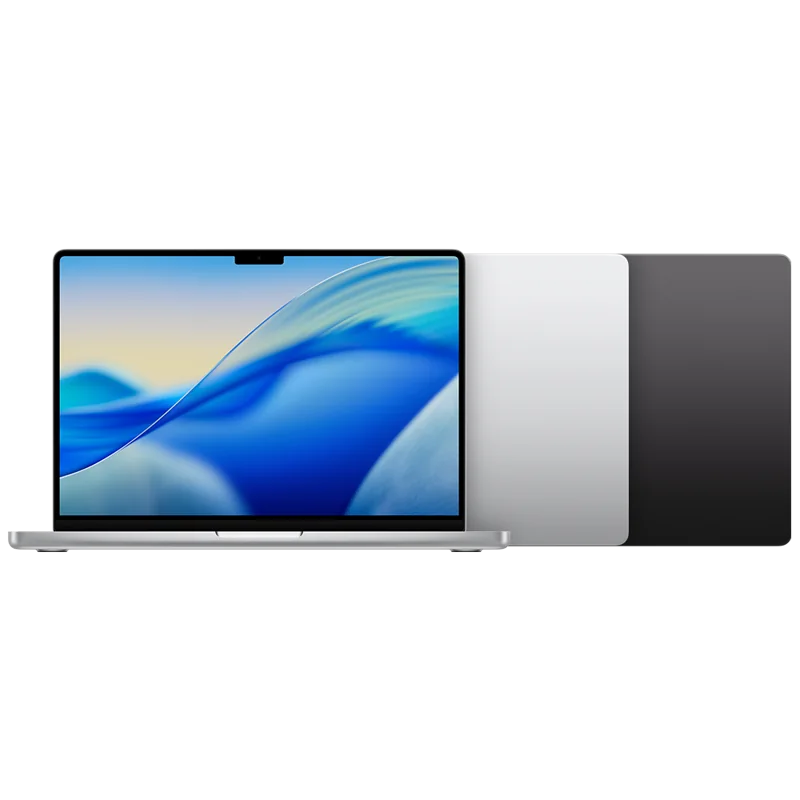
The 14-inch MacBook Pro with M5 has a Liquid Retina XDR display with very high peak and sustained brightness and deep contrast. That makes highlights and shadows easy to judge. The M5 chip pairs a 10-core CPU with a 10-core GPU and 16GB of unified memory. Apple says Adobe Creative Cloud apps run natively on Apple silicon.
Our verdict:
Best Value
Best for people who want a bigger screen on a thin, quiet Mac.
View at AppleKeep in mind: 256GB is tight for photo libraries, so plan on external storage.
The 15-inch MacBook Air gives you a big 15.3-inch Liquid Retina display that supports 1 billion colors, in a thin, light body with a rated battery life of up to 18 hours. It has the M4 chip and 16GB of memory. The base 256GB of storage is small for RAW files, so plan on an external drive.
Our verdict:
Best Premium Windows
Best for a premium Windows laptop with a sharp OLED screen for work and study.
View at DellKeep in mind: no dedicated gaming GPU and 16GB of memory is fixed for heavy work.
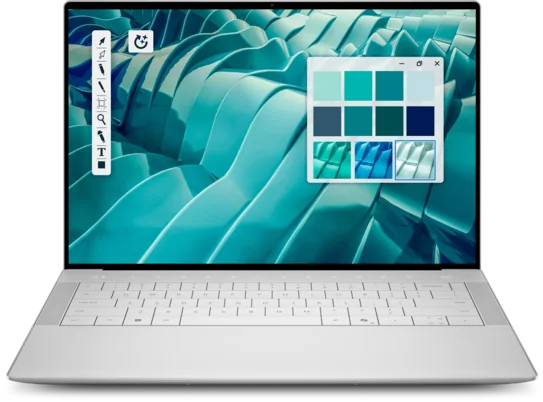
The XPS 14's 14.5-inch OLED touchscreen runs at 3200 x 2000 in a 16:10 shape, sharp enough to judge fine detail. It pairs an Intel Core Ultra 7 255H with 16GB of LPDDR5X and a 1TB SSD, and has three Thunderbolt 4 ports and Wi-Fi 7.
Lenovo Slim 7i Aura Edition Gen 10 (14-inch)
Our verdict:
Best Light Windows Laptop
Best for a light Windows laptop for photo editing on the move.
View at LenovoKeep in mind: memory is soldered; choose the capacity you need when ordering.
The Slim 7i Aura Edition Gen 10 is a compact 14-inch Windows laptop with an OLED touchscreen covering 100% of sRGB and P3. Lenovo offers Intel Core Ultra Series 2 processors and fixed onboard memory. Choose the memory and storage configuration before ordering; the smaller screen trades workspace for portability.
Our verdict:
Best for Large Catalogs
Best for large photo catalogs, data work and CAD on a big, color-accurate screen.
View at LenovoKeep in mind: a work machine with integrated graphics, not a gaming laptop.
The ThinkPad P16s Gen 4 has 32GB of DDR5-5600 for large Lightroom catalogs and layered Photoshop files, and a 16-inch 4K OLED touchscreen that covers 100% of DCI-P3. It pairs an AMD Ryzen AI 7 PRO 350 with a 1TB SSD and adds HDMI 2.1, Thunderbolt 4 or USB4 and Wi-Fi 7.
ASUS ROG Zephyrus G16 (RTX 5070)
Our verdict:
Best for Photo, Video and Games
Best for people who game and also edit photos, video or 3D models on one thin laptop.
View at ASUSKeep in mind: thin designs run the GPU at a lower power limit than thicker gaming laptops.
If you edit video and play games too, the Zephyrus G16 pairs an RTX 5070 with a 16-inch 2.5K OLED at 240Hz. ASUS lists 100% DCI-P3 coverage and a Delta E under 1, a measure of color accuracy. It weighs 4.08 pounds and has an SD card reader.
A color-accurate screen. Look for wide color coverage, such as 100% DCI-P3, and a high resolution. Brightness helps when you edit near windows.
Memory. 16GB handles most editing. 24GB to 32GB helps with large catalogs, many layers and panoramas.
Storage. RAW files are large. Choose 1TB if you can, and keep your archive on an external drive.
Processor. Any current Apple M-series chip or recent Intel or AMD chip exports quickly.
Ports. An SD card reader saves carrying a dongle for camera cards. Thunderbolt or USB4 suits fast external drives.
We chose these from current US listings and each maker's published specs. We prioritized screen quality and memory, then weight and ports.
Both work well. Lightroom and Photoshop run on macOS and Windows, and your catalog moves between them. MacBooks have bright, accurate screens out of the box and long battery life, which is why many photographers choose them. Windows laptops give you more choice of screens, including large OLED panels, and more models with 32GB of memory.
Choose a Mac if you want a great screen with no setup and already use an iPhone. Choose Windows if you also game, need Windows-only software, or want a big OLED screen with lots of memory.
Color gamut. This is the range of colors a screen can show. sRGB is the standard for the web. DCI-P3 is wider and covers more of the colors modern cameras capture. For editing, 100% sRGB is the minimum and 100% DCI-P3 is better.
Resolution. A sharper screen shows more detail when you zoom and more of the interface at once. Around 2.5K to 3K on a 14 to 16-inch screen is plenty.
Brightness. A brighter screen is easier to use near windows and helps with HDR photos.
Panel type. OLED gives the deepest blacks. IPS panels are consistent and don't risk burn-in. Both can be excellent for editing.
Finish. Glossy screens look vivid but reflect light. Matte screens reduce glare but can soften detail slightly.
RAW files are large, and a busy shoot fills a small drive fast. Keep 1TB inside the laptop if you can, for your apps and the catalog, plus the shoots you are working on now. Store older shoots on an external SSD or hard drive, and keep a second backup copy somewhere else. A fast external SSD over Thunderbolt or USB4 is quick enough to edit from directly.
A laptop lets you edit on location and at home. If you mostly edit at a desk, pair your laptop with a calibrated external monitor. That gives you a bigger canvas with accurate color, and the laptop screen becomes a second display for tools and panels.
Photo apps keep previews and edit history in memory. With 16GB, a laptop handles most editing well. Large catalogs, big panoramas and files with many layers run more smoothly with 24GB or 32GB. Because most thin laptops use soldered memory, choose the amount you need at purchase. The ThinkPad P16s Gen 4 on this list has 32GB, the most of our picks.
If you edit on location, battery life and weight matter. The MacBook Air and MacBook Pro are rated for long battery life, and the MacBook Air is the lightest pick here. Thin Windows laptops such as the Slim 7i Aura Edition Gen 10 are also easy to carry. Gaming laptops like the Zephyrus G16 are heavier and drain faster, so plan to plug in for long editing sessions.
Most photo work runs well without one. Lightroom and Photoshop use the graphics hardware for some tasks, such as AI-based noise reduction and certain filters, and a dedicated GPU can speed those up. Apple silicon and current integrated graphics handle everyday editing smoothly. A dedicated GPU matters more if you also edit video, work in 3D, or batch-process large numbers of RAW files with AI tools. That is where a laptop like the Zephyrus G16 earns its extra weight.
For one laptop that just works for editing, choose the MacBook Pro 14. To save money and weight, the MacBook Air 15 is the better buy. Windows users who want the sharpest small screen should look at the Dell XPS 14.
A compact, light Windows laptop points to the Slim 7i Aura Edition Gen 10. For a huge catalog, the ThinkPad P16s Gen 4 brings 32GB. And if you also edit video and play games, the Zephyrus G16 covers all three. Whichever you choose, pair it with a good backup routine, because a photo library is hard to replace.
A screen can drift from accurate color over time, and even good panels vary. A hardware calibrator measures the screen and builds a profile that corrects it. Calibrate in the light you usually edit in, and repeat every few months. If you print, match the screen's brightness to your print viewing conditions, since a bright screen makes prints look darker than expected.
Import photos to the internal SSD, edit them there, and move finished shoots to an external drive. Keep your catalog on the internal drive for speed. Back up both the catalog and the photos to a second drive and to the cloud. This keeps the laptop fast and your work safe.
The Apple MacBook Pro 14 (M5) is the best laptop for photo editing for most photographers, thanks to its bright, accurate Liquid Retina XDR screen. The MacBook Air 15 (M4) is the lighter value choice. On Windows, the Dell XPS 14 offers a very sharp OLED, the Slim 7i Aura Edition Gen 10 pairs an OLED screen with a light body, and the ThinkPad P16s Gen 4 brings 32GB for big catalogs. If you also edit video, see our best laptops for video editing guide.
For the screen connected to this computer, check monitor connections and display needs.
The screen. A color-accurate, wide-gamut screen shows your edits as they really look. After that, 16GB or more of memory keeps Lightroom and Photoshop responsive with large files.
Yes. MacBook screens are bright and color-accurate out of the box, and Apple silicon runs Lightroom and Photoshop quickly. Most photographers find a MacBook Air or MacBook Pro an excellent editing laptop.
Not usually. Lightroom and Photoshop use the GPU for some features, but a strong integrated GPU or Apple silicon handles most photo work. A dedicated GPU matters more if you also edit video or work in 3D.
OLED screens offer deep blacks and wide color, which suits editing well. Check that the laptop lists wide color coverage, and consider calibrating it for print work.
Yes, for most photographers. Large catalogs, panoramas and heavy layered edits in Photoshop run more smoothly with 24GB or 32GB. Since many thin laptops use soldered memory, buy the amount you need at the start.
Both can work. Glossy screens show richer contrast but reflect light, so they suit a controlled room. Matte screens cut glare in bright spaces but can soften fine detail slightly.
It saves carrying an adapter. The Zephyrus G16 includes one. If your laptop lacks a reader, a small USB-C card reader works well and costs little.
An external calibrated monitor gives a bigger canvas and consistent color at a desk. The laptop screen works well on the go, especially a wide-gamut panel like those on our picks.