
Our verdict:
Best for most people
Best for most people who want 1080p gaming at high settings for sensible money.
View at LenovoKeep in mind: a plain design and a 512GB drive that fills quickly.
Gaming Laptops
The short answer
A Windows gaming laptop is the default choice for PC gaming. The OS itself isn't the deciding factor. GPU tier and cooling matter more, and so does the display.
Lenovo LOQ 15 (RTX 5060)View at LenovoRead our analysis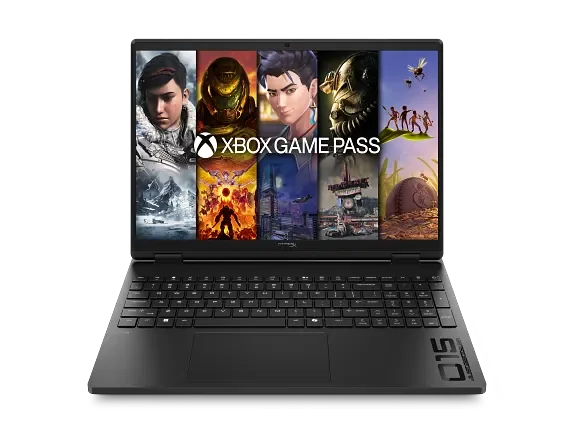 HP HyperX OMEN (RTX 5060)View at HPRead our analysis
 ASUS TUF Gaming A14 (RTX 4060)View at ASUSRead our analysis
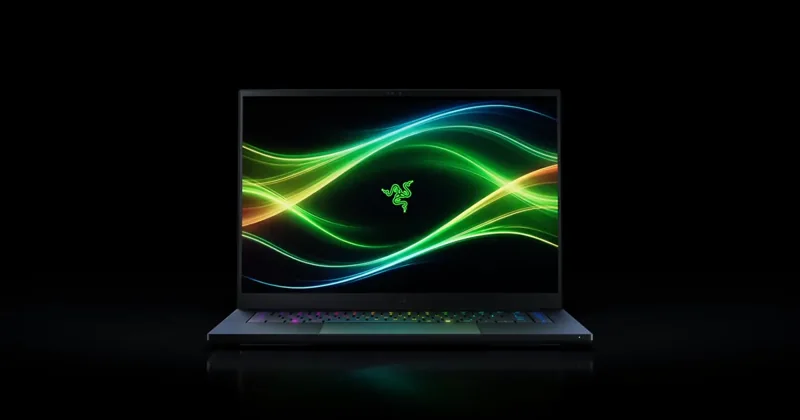 Razer Blade 16 (2026, RTX 5070 Ti)View at RazerRead our analysis
Searching for a Windows gaming laptop usually means one thing. You want a laptop that plays PC games well. Windows is already the standard operating system on nearly every dedicated gaming laptop. The real decision is about the hardware underneath it, not the software on top.
Nearly every gaming laptop runs Windows. The OS itself is rarely the deciding factor. GPU tier and cooling design are what actually separate a good gaming laptop from a disappointing one. The display matters too.
This guide is part of our best gaming laptop guide, which covers the hardware choices that matter more than the operating system.
Every current gaming laptop clears the minimum hardware on Microsoft's Windows 11 specs page.
We chose these from current US listings and each maker's published specs. We don't print prices, because they change daily; each pick links to its current listing. All four ship with Windows 11, and each suits a different buyer.
Our verdict:
Best for most people
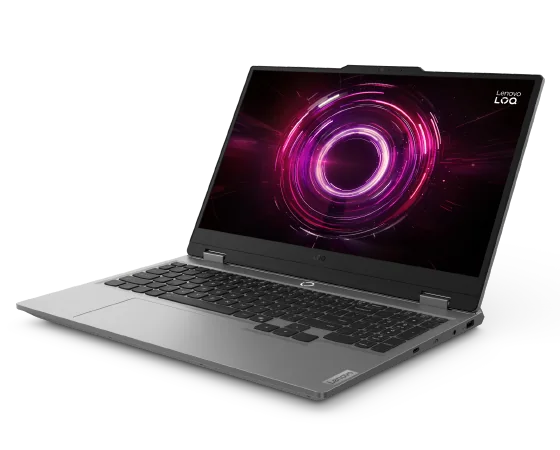
Best for most people who want 1080p gaming at high settings for sensible money.
View at LenovoKeep in mind: a plain design and a 512GB drive that fills quickly.
The LOQ 15 pairs an RTX 5060 with an AMD Ryzen 7 250 and 16GB of DDR5 you can expand to 32GB. It runs Windows 11 Home and has HDMI 2.1, a USB-C port and Wi-Fi 6.
Our verdict:
Best for competitive play
Best for competitive players who want a fast screen with a mid-tier GPU.
View at HPKeep in mind: a 15.3-inch screen is a little smaller than most 16-inch rivals.
HP's HyperX OMEN pairs an RTX 5060 with an AMD Ryzen 7 260 and a sharp 15.3-inch 2560 x 1600 screen at 180Hz. HP lists an 8000Hz keyboard polling rate, 16GB of DDR5-5600 and a 1TB SSD.
ASUS TUF Gaming A14 (RTX 4060)
Our verdict:
Best 14-inch
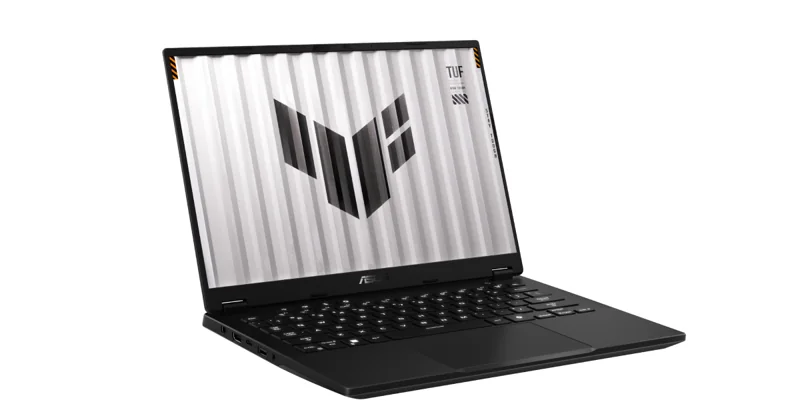
Best for anyone who carries a gaming laptop every day and wants 14-inch portability.
View at ASUSKeep in mind: the memory is soldered, so 16GB is what you keep.
The TUF Gaming A14 fits an RTX 4060 and a Ryzen AI 9 HX 370 into a 14-inch body with a 165Hz G-SYNC screen. ASUS lists it as a Copilot+ PC running Windows 11, with a 1TB SSD and a second SSD slot.
Razer Blade 16 (2026, RTX 5070 Ti)
Our verdict:
Best thin premium pick
Best for a thin premium laptop that still plays games at 1440p.
View at RazerKeep in mind: you pay a premium for the build, and the memory is soldered.
The 2026 Blade 16 is 14.9mm thick in CNC-machined aluminum, with an RTX 5070 Ti at up to 140W and a 240Hz OLED screen. It supports Windows Hello facial recognition for quick sign-in.
Nearly every gaming laptop already runs Windows. Spend your comparison time on GPU tier and cooling design instead. Check memory and display refresh rate too. Check the exact GPU model and its power limit. Two laptops can share a GPU name and still perform differently.
Look for a dual-fan cooling design and at least 16GB of memory as a baseline. These specs will tell you far more about how the laptop actually plays your games than any software feature list.
Windows supports the widest range of PC games. That is why nearly every gaming laptop ships with it. This isn't a marketing choice. It reflects which system game makers build and test for first.
Searching for a Windows gaming laptop rarely narrows your options much because of this. Almost every laptop marketed for gaming already meets that description. The real comparison happens on the hardware specs underneath.
GPU tier sets the ceiling on what a laptop can run. Cooling decides whether that GPU can hold its speed during a long session. Without good cooling, it throttles after a few minutes instead. Memory affects whether background apps cause stutter while you play.
These factors matter far more than the Windows version installed. Two laptops on the exact same Windows version can still perform very differently in the same game. GPU tier and cooling design usually explain that gap.
A thin, single-fan laptop will throttle a capable GPU during a long gaming session. This happens no matter how well-tuned the OS is. Software can help manage power settings. It can't compensate for a cooling design that simply doesn't have enough airflow.
A dual-fan design with proper heat pipes lets the GPU run closer to its rated speed for longer. This is one of the biggest real differences between two Windows gaming laptops at a similar price.
16GB of memory is the realistic floor for current games. Less than that can cause stutter from background apps like a browser or a chat client. This holds true no matter which Windows version is installed. The memory requirement comes from the games themselves.
A 120Hz or faster display makes fast games feel noticeably smoother than a 60Hz panel. Check this spec alongside GPU tier and cooling. Together they tell you far more about real performance than Windows itself does.
A small number of laptops ship with other operating systems. Game support on them is far more limited for current big-name titles. This is a practical, not a preference, reason nearly everyone shopping for a gaming laptop ends up on Windows.
Some people already use a different operating system daily. Running Windows just for gaming on a separate laptop is a common and reasonable setup for them. It avoids compromising your main machine's software while still giving you full access to the PC game library.
A fast solid-state drive matters more than raw storage size. This affects how quickly Windows and your games load. 512GB is a common starting point, though modern game install sizes fill that up quickly. Check whether the laptop allows a second drive to be added later.
Windows itself runs comfortably on any current gaming laptop's hardware. The OS rarely becomes the bottleneck. Games and background apps are usually what slow a system down, not Windows itself.
Keeping Windows and graphics drivers updated helps a gaming laptop perform closer to its potential. This matters more over time as your games and drivers both change. Manufacturers and graphics vendors both release updates that can improve game compatibility and fix performance issues found after launch.
Removing unnecessary startup programs can also help. Some pre-installed software runs quietly in the background. It takes up memory that could otherwise go to your games.
Hardware still decides how a Windows gaming laptop plays. Our best gaming laptop brands guide shows how brands differ. Our best gaming laptops roundup names current models. Not sure you want a laptop at all? Read our gaming laptop vs desktop guide.
A Windows gaming laptop is the default and correct choice for PC gaming. The operating system supports the widest range of games available. The real decision comes down to GPU tier and cooling design, not the Windows badge on the box.
Memory and display quality matter too. Compare those hardware specs across models. You'll find the laptop that actually plays your games well.
Nearly all dedicated gaming laptops run Windows. It has the widest game library support of any laptop operating system. This makes the OS choice a non-issue for most gaming laptop buyers.
The current Windows version has gaming features built in. It runs well on supported hardware. GPU tier and cooling still matter far more than which recent Windows version is installed.
Focus on GPU tier and cooling design first. Memory and display refresh rate matter too. These specs decide real gaming performance far more than the operating system, which is largely the same across gaming laptops.
For PC gaming specifically, yes, since it has the widest game compatibility. The comparison that matters more is between GPU tiers and cooling designs across Windows laptops, not between operating systems.