
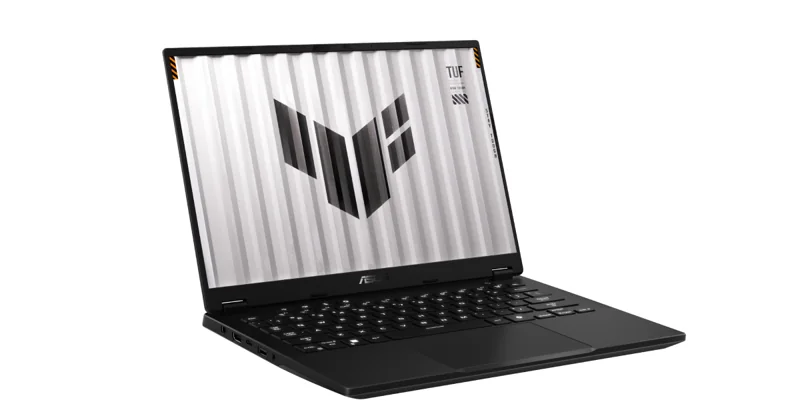
ASUS TUF Gaming A14 (RTX 4060)
Our verdict:
Best for Most Engineering Students
Best for anyone who carries a gaming laptop every day and wants 14-inch portability.
View at ASUSKeep in mind: the memory is soldered, so 16GB is what you keep.
Student Laptops

The short answer
Most engineering students need Windows, a dedicated NVIDIA GPU and 16GB of memory, because tools like SolidWorks run only on Windows. The ASUS TUF Gaming A14 balances power and weight. The ThinkPad P16s Gen 4 suits workstation needs.
ASUS TUF Gaming A14 (RTX 4060)View at ASUSRead our analysis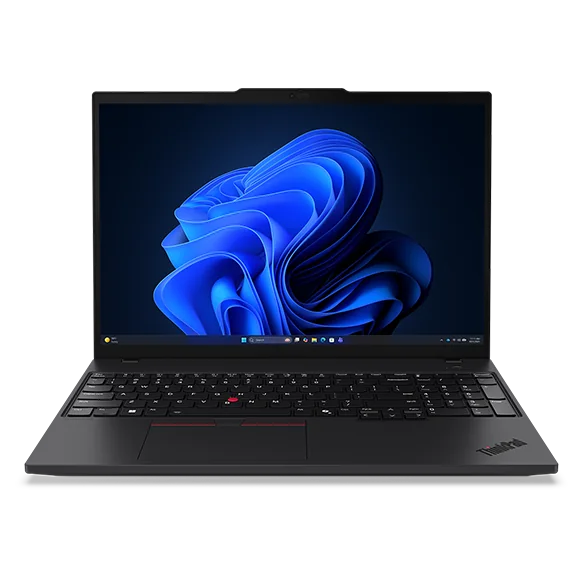 Lenovo ThinkPad P16s Gen 4View at LenovoRead our analysis
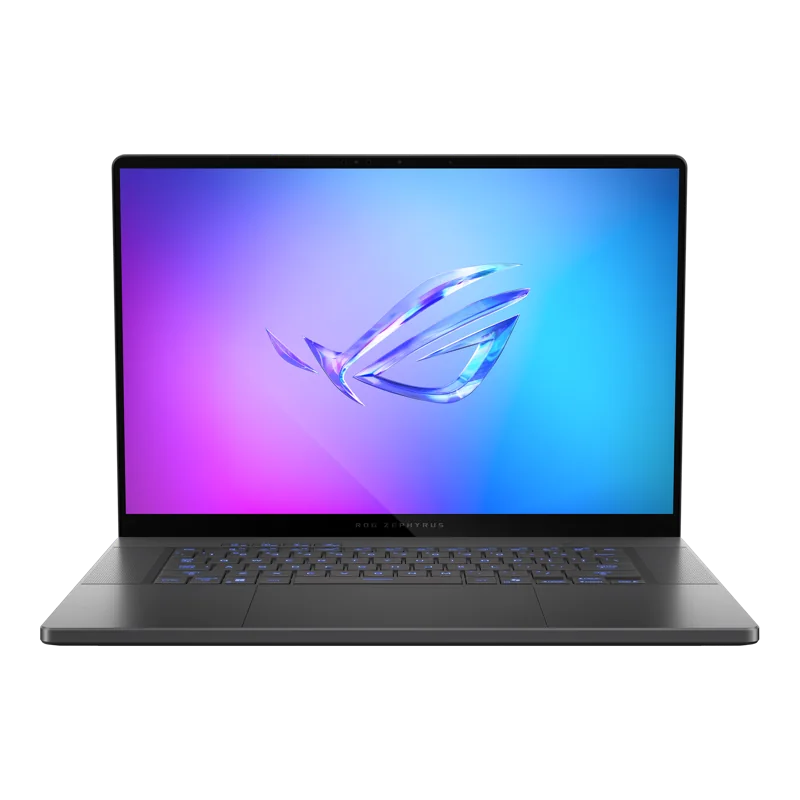 ASUS ROG Zephyrus G16 (RTX 5070)View at ASUSRead our analysis
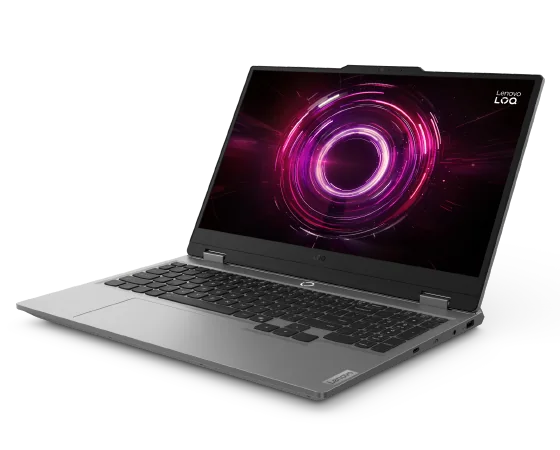 Lenovo LOQ 15 (RTX 5060)View at LenovoRead our analysis
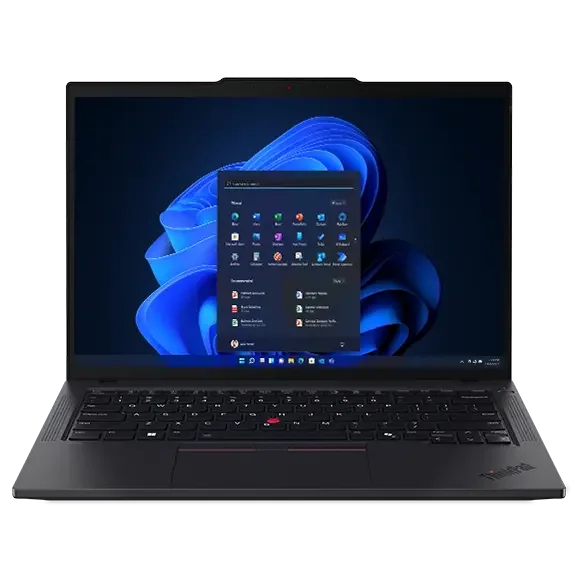 Lenovo ThinkPad T14 Gen 6 (32GB)View at LenovoRead our analysis
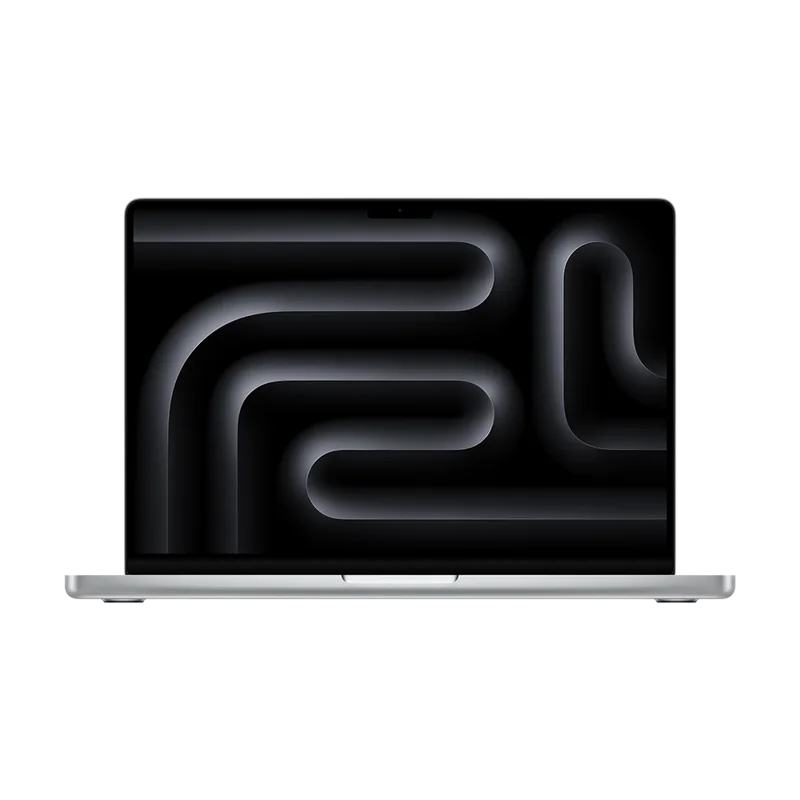 Apple MacBook Pro 14 (M5 Pro)View at AppleRead our analysis
Engineering students ask more of a laptop than most. The same machine has to handle 3D CAD models, simulations, programming, lab reports and lectures, then fit in a backpack. The best laptops for engineering students get three things right: Windows compatibility, enough memory, and a GPU that can handle CAD.
Short answer: buy a Windows laptop with a dedicated NVIDIA GPU and at least 16GB of memory. The ASUS TUF Gaming A14 is the best balance for most students. Check your department's software list first.
This guide is part of our best laptops for college students hub.
NVIDIA's RTX 50 series laptop page lists the current laptop GPU range and its specs.
ASUS TUF Gaming A14 (RTX 4060)
Our verdict:
Best for Most Engineering Students
Best for anyone who carries a gaming laptop every day and wants 14-inch portability.
View at ASUSKeep in mind: the memory is soldered, so 16GB is what you keep.
This is the best fit for most engineering students. It pairs an RTX 4060 graphics card with a fast 12-core AMD chip in a 14-inch body, which is easy to carry to class. The sharp screen shows fine detail in drawings.
Inside are 16GB of memory, a 1TB drive and room for a second drive. The laptop also meets the MIL-STD-810H test standard for drops.
The memory can't be upgraded. 16GB is enough for most coursework, but not for very large models.
Our verdict:
Best Workstation-Style Laptop
Best for large photo catalogs, data work and CAD on a big, color-accurate screen.
View at LenovoKeep in mind: a work machine with integrated graphics, not a gaming laptop.
This is a small work laptop built for heavy tasks. Inside are an AMD Ryzen AI 7 PRO chip, 32GB of memory and a 1TB drive. The 16-inch 4K OLED touchscreen is sharp and shows a wide range of color. It also has a number pad, which helps with data and math. It uses the graphics built into the chip, so it suits math and data work more than big 3D models.
ASUS ROG Zephyrus G16 (RTX 5070)
Our verdict:
Best for Heavy 3D Work
Best for people who game and also edit photos, video or 3D models on one thin laptop.
View at ASUSKeep in mind: thin designs run the GPU at a lower power limit than thicker gaming laptops.
For big 3D models and rendering, this laptop has an RTX 5070 graphics card and a fast Intel chip. The 16-inch OLED screen is sharp and bright. It is thin and weighs just over 4 pounds, so you can still carry it. ASUS uses three fans to keep it cool.
Our verdict:
Best Value GPU Laptop
Best for most people who want 1080p gaming at high settings for sensible money.
View at LenovoKeep in mind: a plain design and a 512GB drive that fills quickly.
This is the value pick with a real graphics card, an RTX 5060. Its 16GB of memory can rise to 32GB later. That matters, because engineering projects grow over a degree. It is heavier than the ASUS picks.
Lenovo ThinkPad T14 Gen 6 (32GB)
Our verdict:
Best for Electrical and Software Engineering
Best for Windows and Linux development, containers and long days on battery.
View at LenovoKeep in mind: integrated graphics only, so no GPU work or modern gaming.
If your work is mostly code and circuits, not 3D models, this is a better laptop to carry. Inside are an Intel Core Ultra 7 chip and 32GB of memory. You also get a wired network port and an HDMI port, and it meets MIL-STD-810H. There is no separate graphics card, so skip it for heavy CAD.
Our verdict:
Best Mac for Engineers Who Can Use macOS
Best for heavy video editing, large builds and pro apps on a portable machine.
View at AppleKeep in mind: Windows-only engineering tools and most PC games will not run natively.
For software and some electrical programs, a Mac works well. This MacBook Pro has a fast M5 Pro chip and 24GB of memory, with a bright screen. Choose it only if all your course software runs on a Mac.
| Discipline | Operating system | GPU | Memory |
|---|---|---|---|
| Mechanical, aerospace | Windows | Dedicated NVIDIA GPU | 16 to 32GB |
| Civil, architecture | Windows | Dedicated NVIDIA GPU | 16 to 32GB |
| Electrical | Usually Windows | Helpful, not essential | 16GB |
| Chemical | Windows or Mac | Not essential | 16GB |
| Software, computer | Any | Only for GPU computing | 16 to 32GB |
Scroll for more →
Most engineering departments post a list of the software you will use. Look for:
If your list has any tools that run only on Windows, buy a Windows laptop. Running Windows on a Mac is not a good fix for heavy CAD.
We chose these from current US listings and each maker's specs. We looked for Windows laptops with real graphics cards and enough memory for CAD. We also added picks for software and electrical engineers.
Many engineering schools have computer labs with powerful desktops and the software already installed. That can take pressure off your own laptop. If your labs are open late and close to where you live, a lighter laptop may be enough, with heavy CAD done in the lab. If you want to work from your room or on the go, buy a laptop that can run your CAD tools itself. Ask older students how they work before you decide.
A tablet is great for taking notes and reading, but it can't run most engineering software. Some engineering students carry a small tablet for notes alongside a laptop for CAD. If you want one device, a laptop with a real graphics card is the safer choice.
Install your department's software early, before the first project is due. Some CAD tools need specific graphics drivers, so follow the maker's install notes. On laptops with a dedicated GPU, set CAD apps to use the NVIDIA GPU in Windows graphics settings. Keep projects in a cloud-synced folder, and back them up to an external drive before big deadlines.
A mouse with a scroll wheel makes CAD far easier than a trackpad. An external monitor gives room for drawings and reference files side by side. A laptop stand raises the screen to eye level for long sessions. And a padded bag protects the laptop on the way to labs.
Most engineering students should buy a Windows laptop with a dedicated NVIDIA GPU and at least 16GB of memory. The ASUS TUF Gaming A14 is the best balance of power and portability. The ThinkPad P16s Gen 4 suits students who want 32GB and a big 4K screen, the Zephyrus G16 handles heavy 3D work, and the LOQ 15 is the value pick with upgradeable memory. Software and electrical engineers can choose the ThinkPad T14 Gen 6 or a MacBook Pro. If you also game, see our best laptop for college and gaming guide.
Most do. Several widely used engineering tools, including SolidWorks, run only on Windows. Some programs, such as MATLAB, run on Mac too. Check your department's software list before you buy.
For mechanical, civil, aerospace and architecture programs that use 3D CAD and simulation, a dedicated GPU helps a lot. Software and electrical engineering students can often skip it.
16GB is the minimum. 32GB is worth it for large CAD assemblies, finite element analysis, circuit simulation or virtual machines.
Often, yes. Gaming laptops have the fast processors, dedicated GPUs and cooling that CAD work needs, usually for less than a workstation. The trade-offs are weight and battery life.
Some of it. MATLAB and many programming tools run on macOS. Several widely used CAD tools, including SolidWorks, run only on Windows. Check your department's software list before choosing a Mac.
1TB is a sensible target, since CAD files and software add up. Laptops with a second SSD slot, like the ASUS TUF Gaming A14, make it easy to add more later.
For most coursework, yes. Large assemblies and simulations run more smoothly with 32GB. Choose a laptop with upgradeable memory, like the Lenovo LOQ 15, if you are unsure.
For most students, a gaming laptop with an NVIDIA GPU gives similar CAD performance for less money. Workstation laptops add certified drivers and business support, which some professional tools recommend. Check your department's guidance before you choose.