
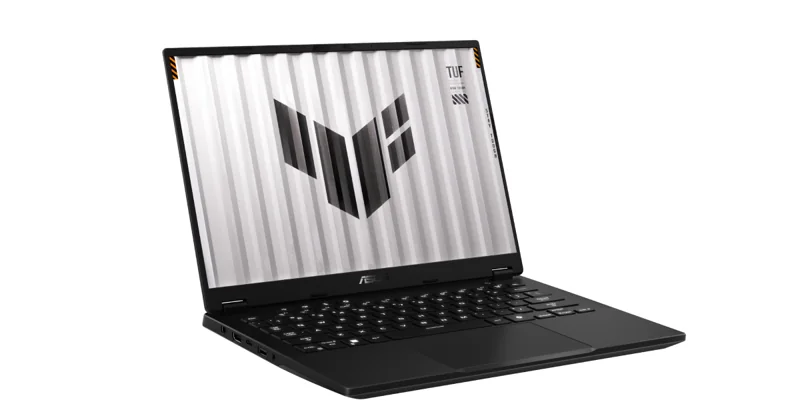
ASUS TUF Gaming A14 (RTX 4060)
Our verdict:
Best for Most Students
Best for anyone who carries a gaming laptop every day and wants 14-inch portability.
View at ASUSKeep in mind: the memory is soldered, so 16GB is what you keep.
Student Laptops

The short answer
The best laptop for college and gaming for most students is the ASUS TUF Gaming A14: a 14-inch body with an RTX 4060, a sharp 165Hz screen and MIL-STD-810H testing. Choose the ASUS ROG Zephyrus G16 for a thin 16-inch OLED with an RTX 5070, the Lenovo LOQ 15 for the best gaming value, and the Razer Blade 16 if budget is no object.
ASUS TUF Gaming A14 (RTX 4060)View at ASUSRead our analysis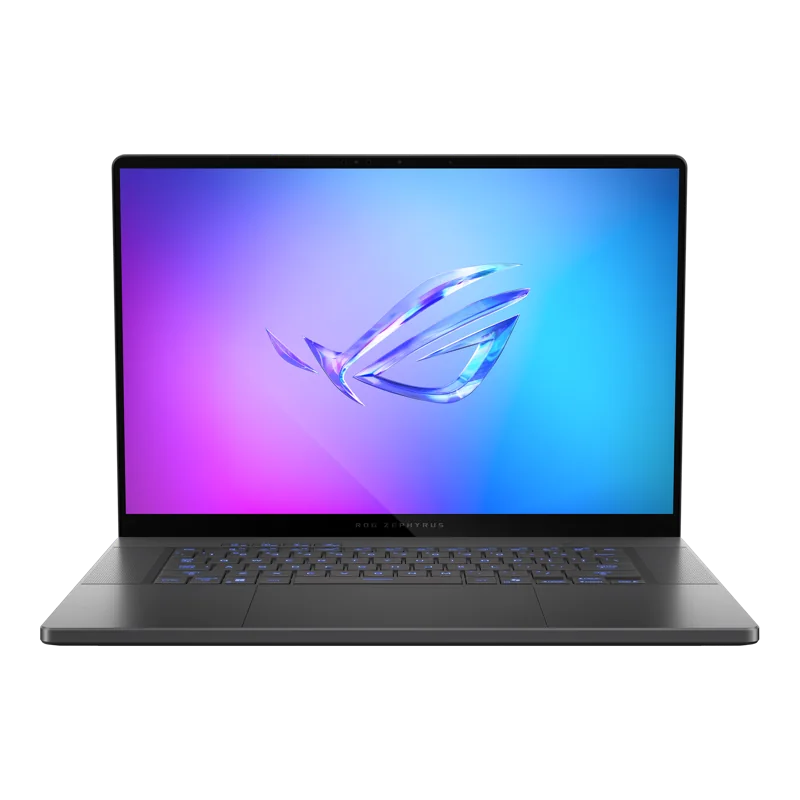 ASUS ROG Zephyrus G16 (RTX 5070)View at ASUSRead our analysis
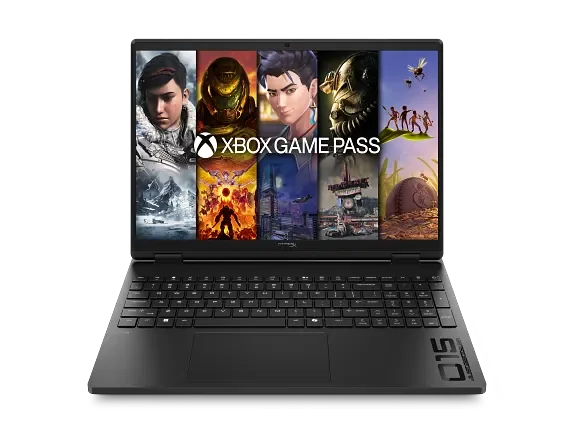 HP HyperX OMEN (RTX 5060)View at HPRead our analysis
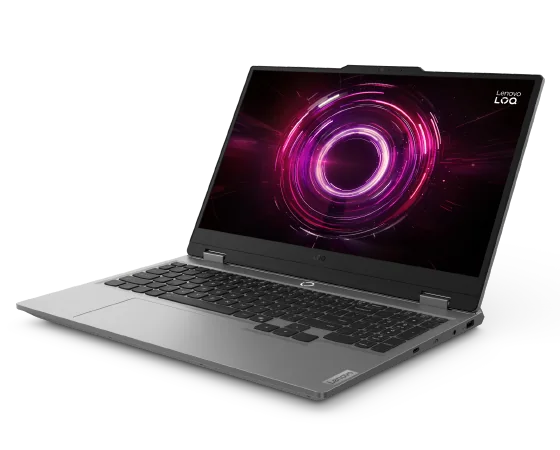 Lenovo LOQ 15 (RTX 5060)View at LenovoRead our analysis
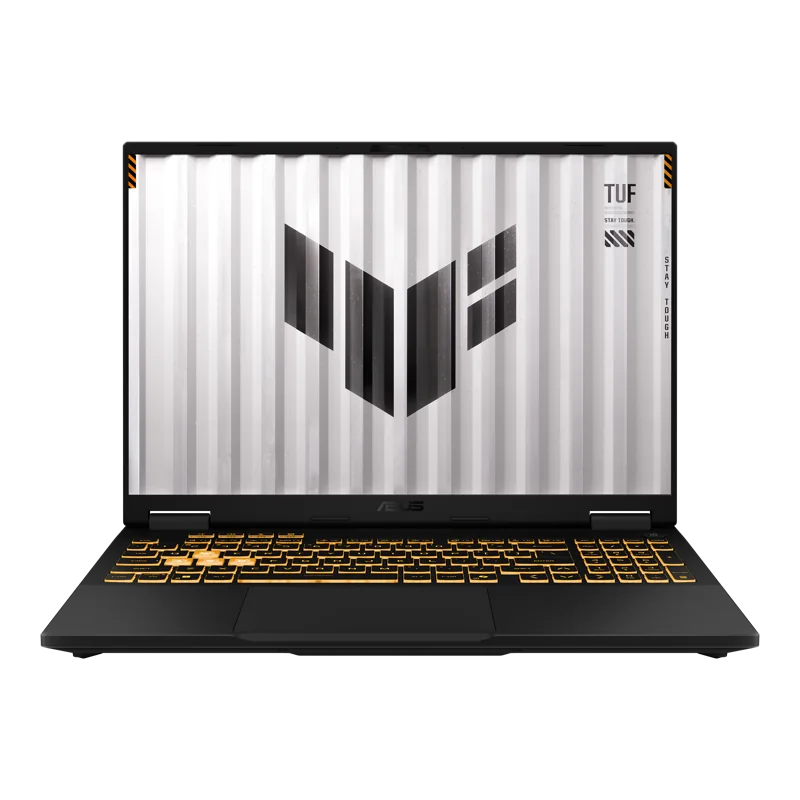 ASUS TUF Gaming F16 (RTX 5050)View at ASUSRead our analysis
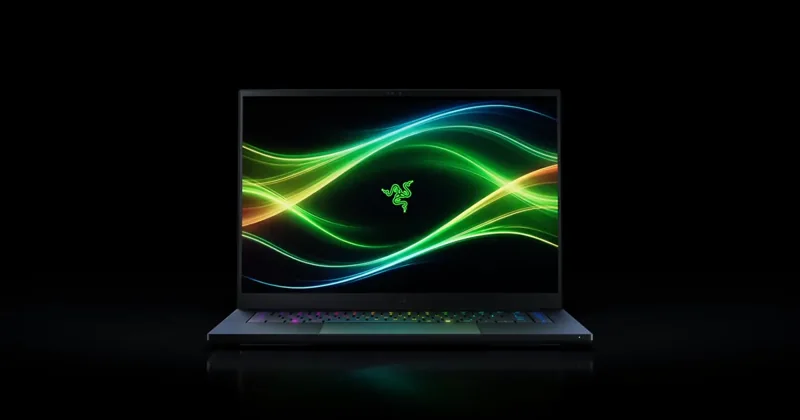 Razer Blade 16 (2026, RTX 5070 Ti)View at RazerRead our analysis
Finding the best laptop for college and gaming means balancing two very different days. In the morning, you want something light that lasts through lectures. At night, you want something with a real GPU that runs your games smoothly. The good news is that a few laptops now do both well.
Short answer: the ASUS TUF Gaming A14 is the best laptop for college and gaming for most students. The ASUS ROG Zephyrus G16 is the thin 16-inch pick, the Lenovo LOQ 15 is the best gaming value, and the Razer Blade 16 is the premium choice.
This guide is part of our best laptops for college students hub.
NVIDIA's RTX 50 series laptop page lists the current laptop GPU range and its specs.
ASUS TUF Gaming A14 (RTX 4060)
Our verdict:
Best for Most Students
Best for anyone who carries a gaming laptop every day and wants 14-inch portability.
View at ASUSKeep in mind: the memory is soldered, so 16GB is what you keep.
The TUF Gaming A14 fits an RTX 4060 and an AMD Ryzen AI 9 HX 370 into a 14-inch body, the easiest size to carry between classes. Its 2560 x 1600 screen runs at 165Hz with G-SYNC, and it supports NVIDIA Advanced Optimus, which can switch the GPU off for light work to save battery. It has 16GB of LPDDR5X, a 1TB SSD with a second SSD slot, and meets MIL-STD-810H test standards for drops and vibration.
The memory is soldered, so 16GB is what you keep. That is fine for gaming and most majors.
ASUS ROG Zephyrus G16 (RTX 5070)
Our verdict:
Best Thin 16-Inch
Best for people who game and also edit photos, video or 3D models on one thin laptop.
View at ASUSKeep in mind: thin designs run the GPU at a lower power limit than thicker gaming laptops.
The Zephyrus G16 is about 0.59 inches thin and weighs 4.08 pounds, light for a 16-inch gaming laptop. It pairs an Intel Core Ultra 9 285H with an RTX 5070. Its 16-inch 2.5K OLED screen runs at 240Hz and covers 100% of DCI-P3, which suits design and video coursework as well as games. ASUS lists a 90Wh battery, Thunderbolt 4 with DisplayPort, HDMI 2.1 and an SD card reader, plus a 0dB ambient cooling mode for quiet work.
Our verdict:
Best for Competitive Games
Best for competitive players who want a fast screen with a mid-tier GPU.
View at HPKeep in mind: a 15.3-inch screen is a little smaller than most 16-inch rivals.
HP's HyperX OMEN pairs an RTX 5060 with an AMD Ryzen 7 260 and a 15.3-inch 2560 x 1600 screen at 180Hz. The screen is sharp for reading and fast for games. HP lists an 8000Hz keyboard polling rate for faster key response, 16GB of DDR5-5600 and a 1TB SSD. At 15.3 inches, it is a middle ground between 14 and 16-inch models.
Our verdict:
Best Gaming Value
Best for most people who want 1080p gaming at high settings for sensible money.
View at LenovoKeep in mind: a plain design and a 512GB drive that fills quickly.
The LOQ 15 pairs an RTX 5060 with 8GB of GDDR7 and a Ryzen 7 250, with 16GB of DDR5 you can expand to 32GB later. Its 15.6-inch 1080p screen runs at 144Hz. It is heavier and has a larger charger than the ASUS picks, but it gives the most gaming performance for the money on this list.
ASUS TUF Gaming F16 (RTX 5050)
Our verdict:
Best Budget Pick
Best for tight budgets that still want a dedicated GPU and a fast 16-inch screen.
View at ASUSKeep in mind: the 512GB drive and entry-tier GPU mean medium settings and a storage upgrade soon.
The TUF Gaming F16 runs an RTX 5050 at up to 115W, a figure ASUS lists plainly. It has a 16-inch 1920 x 1200 screen at 165Hz covering 100% of sRGB, 16GB of DDR5 and a 512GB SSD, and meets MIL-STD-810H. It plays esports titles and older games well, with newer games at medium settings.
Razer Blade 16 (2026, RTX 5070 Ti)
Our verdict:
Best Premium Pick
Best for a thin premium laptop that still plays games at 1440p.
View at RazerKeep in mind: you pay a premium for the build, and the memory is soldered.
The Blade 16 is 14.9mm thick in CNC-machined aluminum. It runs an RTX 5070 Ti at up to 140W and has a 16-inch 2560 x 1600 OLED at 240Hz with 100% DCI-P3. Its 32GB of memory is soldered, but two M.2 slots allow more storage. It also has Windows Hello facial recognition, Thunderbolt 5 and an SD card reader.
Weight. You'll carry it every day. A 14-inch gaming laptop or a thin 16-inch one is the sweet spot.
Battery life in class. Gaming laptops can last much longer on battery when the dedicated GPU switches off for light work. Look for NVIDIA Advanced Optimus or a MUX switch with an integrated-graphics mode.
Charger size. Gaming laptops need bigger chargers. Some also charge from USB-C for light use, which lets you carry a smaller charger to class.
GPU tier. An RTX 4060 or RTX 5060 covers current games at 1080p and most coursework that uses a GPU. An RTX 5070 adds headroom for 1440p screens.
Noise. Fans spin up under load. A laptop with a quiet or silent mode is kinder to the library.
Build quality. Backpacks are rough on laptops. Metal lids and military-standard testing help.
Memory. 16GB is the floor; 32GB helps if you edit video or run engineering software.
We chose these from current US listings and each maker's published specs. We favored laptops that are realistic to carry daily, with dedicated GPUs strong enough for current games.
A dedicated GPU is useful beyond games. Engineering students use it for CAD and simulation, film and design students for video editing and 3D work, and computer science students for game development or machine learning. Our best laptops for engineering students guide covers degree-specific needs.
If you mostly play console-style games on a TV, a thin laptop plus a console can be lighter to carry and last longer on battery. If you play PC games, esports titles, or need GPU software for your major, one gaming laptop is simpler. For thin non-gaming options, see our college laptop picks roundup.
A 14-inch gaming laptop is easiest to carry and fits any backpack. A thin 16-inch model gives more screen and better cooling, and weighs a little more. Avoid 17 and 18-inch laptops for daily carrying. Our 14 inch gaming laptop and 16 inch gaming laptop guides go deeper on each size.
Less than most gaming guides suggest. If you play esports titles and older games, an RTX 5050 or RTX 4060 is plenty. If you want new releases at good settings, aim for an RTX 5060 or RTX 5070.
Think about your major too. Engineering, design and film students use the GPU for coursework, which makes a stronger card more useful. For other majors, a mid-range GPU keeps weight and cost down. A lighter laptop is one you will actually bring to class.
A good college gaming laptop screen does two jobs. For study, a sharp 2560 x 1600 panel shows more of a document and is easier on the eyes. For games, a refresh rate of 144Hz or higher keeps motion smooth.
OLED panels, like the one in the Zephyrus G16, add deep blacks and wide color, which helps design and video coursework. They cost more, and static images left on screen for many hours can cause burn-in over time. If you keep lecture slides open all day, lower the brightness and use a dark theme.
A degree lasts years, so look after the laptop. Play on a desk, not a bed, so the vents stay clear.
Clean dust from the vents every few months. Use the maker's battery care setting, which stops charging at a set level when the laptop lives on a desk. Keep your graphics driver up to date for new games. And back up your coursework, because a gaming laptop is still your school computer.
Many colleges give students free access to software that would otherwise cost money, such as office suites, cloud storage and some engineering or design tools. Check your school's IT page before you buy software. That money is better spent on memory or a better GPU tier.
A laptop that breaks mid-semester is a real problem. Before you buy, check how repairs work: mail-in, drop-off or on-site. Some schools have a campus repair desk that can help with common faults. An accident plan is worth considering for a laptop that rides in a backpack every day.
A few settings make a gaming laptop better for school. Set the laptop to switch to its quiet or battery mode when unplugged. Turn off game launchers at startup, so they don't drain the battery in class.
Set up cloud backup for your coursework. And create a separate folder for school files, so they don't get lost among game installs. Finally, keep the charger in your bag. Gaming laptops drain faster than thin laptops, even in light use, so a charger saves the day in a long library session.
The ASUS TUF Gaming A14 gives the best balance of size, toughness and gaming power. For a bigger OLED screen and more GPU for design or video coursework, look at the Zephyrus G16. Gaming value points to the Lenovo LOQ 15, if you don't mind the weight. A tight budget suits the TUF Gaming F16. And the Razer Blade 16 has the most premium build and screen.
Gaming laptops can be loud and bright. In libraries and shared rooms, use quiet mode and turn down the keyboard lighting. Bring headphones. And keep games off during class, where they drain the battery you'll need later.
For more gaming laptops at every budget, see our best gaming laptops roundup.
Class days. Put the laptop in its quiet or battery mode before you leave. Keep the screen at 60Hz on battery and close game launchers. Most light work, such as notes and research, runs well on the integrated graphics.
Study sessions. Plug in when you can. A gaming laptop drains faster than a thin laptop, even in light use.
Evenings. Switch to the performance mode, plug in, and set the screen back to its full refresh rate. Game on a desk, not a bed, so the vents stay clear.
Weekends. Update the graphics driver and Windows. Back up your coursework.
The TUF Gaming A14 is the pick if you walk to class every day. The Zephyrus G16 is the pick if you want a bigger OLED screen and more GPU power for design or video coursework, and you don't mind about half a pound more. The TUF Gaming F16 is the budget choice, with a 16-inch screen and a tough build.
The best laptop for college and gaming for most students is the ASUS TUF Gaming A14, which pairs an RTX 4060 and a sharp 165Hz screen with a 14-inch body that's easy to carry. The ASUS ROG Zephyrus G16 is the pick for a thin 16-inch OLED with an RTX 5070. The Lenovo LOQ 15 gives the best gaming value, the ASUS TUF Gaming F16 suits tight budgets, and the Razer Blade 16 is the premium choice. Use the integrated-graphics mode in class, play plugged in, and your gaming laptop can handle both halves of college life.
Some can, if you use their power-saving mode. Laptops with NVIDIA Advanced Optimus or a MUX switch can turn off the dedicated GPU for light work, which stretches battery life a lot. Gaming itself will drain any laptop quickly, so play plugged in.
A 14-inch model is easiest to carry to class. A thin 16-inch model gives a bigger screen and more cooling while staying portable. Avoid 17 and 18-inch laptops if you will carry it daily.
Yes. A gaming laptop has a fast processor, plenty of memory and a good screen, which suit coursework well. The trade-offs are weight, charger size and battery life.
If you mostly play console-style games on a TV, a thin laptop plus a console can be lighter to carry and last longer on battery. If you play PC games, esports titles or use GPU software for your major, one gaming laptop is simpler.
It helps but isn't required. A MUX switch or NVIDIA Advanced Optimus lets the laptop switch between integrated and dedicated graphics, which can save battery in class and add frames in games.
Gaming laptops need large chargers to power the GPU while gaming. Some also charge from USB-C for light use, which lets you carry a smaller charger to class. Check the listing for USB-C charging support.
Yes, for most students. A 14-inch model like the ASUS TUF Gaming A14 with an RTX 4060 handles current games at 1080p and most coursework. It gives up some cooling room compared with a 16-inch model, so it can run slower in long sessions.
Usually, if your school allows laptops for online exams. Some exam apps need a specific browser or lock down other apps. Check your school's testing requirements and install the app before exam day.
It depends on the model. A 14-inch gaming laptop or a thin 16-inch one is realistic to carry daily. Larger 17 and 18-inch models, plus their chargers, are heavy for a full day on campus.