
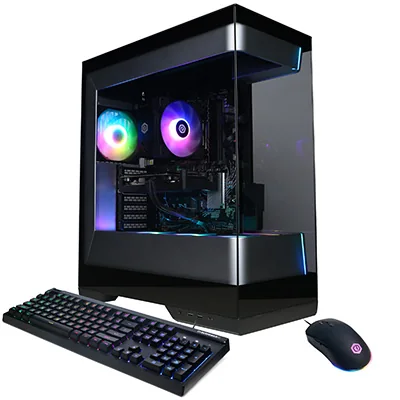
CyberPowerPC Gamer Master (RTX 5060)
Our verdict:
Best value 1080p rig
Best for 1080p gaming at high settings on a modest budget.
View at CyberPowerPCKeep in mind: check the listed power supply before planning a bigger GPU upgrade.
Gaming PCs
The short answer
The best budget gaming rig puts roughly two thirds of the money into the PC itself, most of that into the graphics card, and splits the rest between a 1080p monitor at 144Hz or faster and basic accessories. An RTX 5060 desktop with a fast 1080p monitor is the balanced starting point.
CyberPowerPC Gamer Master (RTX 5060)View at CyberPowerPCRead our analysis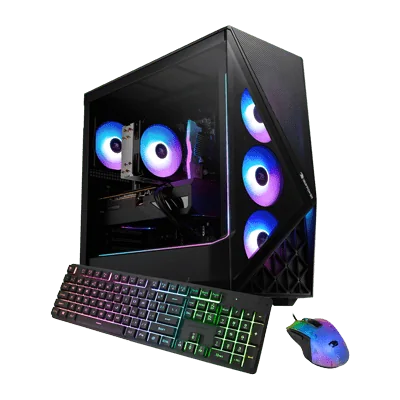 iBUYPOWER Slate (Radeon RX 9060)View at iBUYPOWERRead our analysis
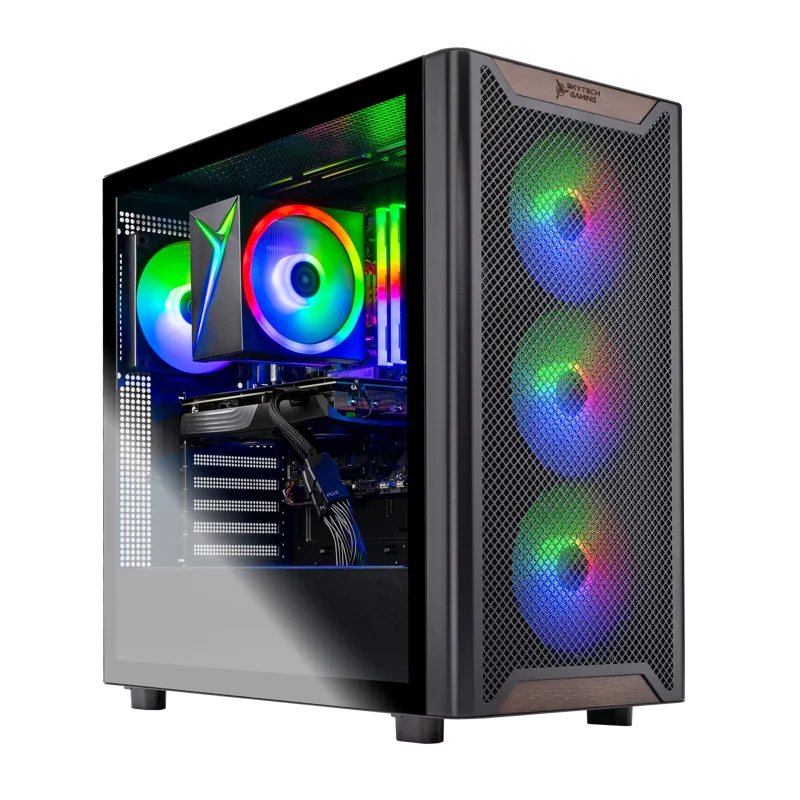 Skytech Chronos 3 (RTX 3050)View at SkytechRead our analysis
A budget gaming rig is more than a PC. It is the PC, the monitor you look at, and the accessories you touch every day. Planning them together is the easiest way to get a setup that feels fast, instead of a strong PC hobbled by a slow screen.
Short answer: spend about two thirds of your budget on the PC, mostly on the graphics card. Put most of the rest into a 1080p monitor at 144Hz or faster. Start with basic accessories and upgrade them later.
This guide is part of our cheap gaming PCs hub.
NVIDIA's RTX 50 series page lists the current desktop graphics cards and their specs.
The graphics card decides what you can play and how smoothly. For a budget rig, an RTX 5060 or Radeon RX 9060 is the value target. Pair it with 16GB of memory and a 1TB SSD.
We chose these from current listings and each builder's published specs.
CyberPowerPC Gamer Master (RTX 5060)
Our verdict:
Best value 1080p rig
Best for 1080p gaming at high settings on a modest budget.
View at CyberPowerPCKeep in mind: check the listed power supply before planning a bigger GPU upgrade.
The Gamer Master pairs an RTX 5060 with a Ryzen 5 8400F, 16GB of DDR5 and a 1TB PCIe 4.0 SSD. It includes a keyboard and mouse, which covers you until you choose better ones. It has two DisplayPort outputs and one HDMI output for your monitor.
iBUYPOWER Slate (Radeon RX 9060)
Our verdict:
Best AMD graphics pick
Best for 1080p gaming with a stronger 8-core processor for streaming or school work.
View at iBUYPOWERKeep in mind: AMD's upscaling is supported in fewer games than NVIDIA's DLSS.
If you prefer AMD graphics, the Slate pairs a Radeon RX 9060 with a Ryzen 7 9700F, 16GB of DDR5 and a 1TB SSD. It also includes a keyboard and mouse.
Our verdict:
Best for the tightest budget
Best for esports and older games at 1080p for the lowest outlay.
View at SkytechKeep in mind: an older platform and entry GPU, so new games need low settings.
For the tightest budgets, Skytech's RTX 3050 system with a Ryzen 5 5500, 16GB of memory and a 1TB SSD is the floor we would accept. It handles esports titles and older games at 1080p.
More options are in our budget gaming PC roundup.
These shares are a starting point, not a rule. Adjust them if you already own some of the parts.
| Part | Share of budget | What it buys |
|---|---|---|
| PC | About 60 to 70% | An RTX 5060 desktop with 16GB of memory and a 1TB SSD |
| Monitor | About 15 to 25% | A 24 to 27-inch 1080p screen at 144Hz or faster |
| Keyboard and mouse | About 5 to 8% | A wired keyboard and a light, wired gaming mouse |
| Headset | About 5 to 7% | A wired headset with a clear microphone |
Scroll for more →
If you already own a monitor or accessories, move that money into the graphics card. It gives the biggest boost to what you can play.
The monitor is the second most important part of a gaming rig. It decides whether you actually see the frames your graphics card makes.
Refresh rate first. A 144Hz screen can show up to 144 frames per second, against 60 on a basic panel. Motion looks smoother and games feel more responsive. For a budget rig, 144Hz to 180Hz is the sweet spot.
Resolution second. 1080p suits the RTX 5060 and RX 9060. A 1440p screen looks sharper but asks more of the GPU. Save 1440p for an RTX 5070 or higher.
Adaptive sync. Look for FreeSync or G-SYNC Compatible. It smooths out tearing when frame rates dip, which happens often on budget hardware.
Size. 24 inches is the classic match for 1080p. At 27 inches, 1080p starts to look soft up close.
Connection. Plug the monitor into the graphics card, not the motherboard. Use DisplayPort if both the monitor and GPU have it.
Mouse. A light, wired gaming mouse with a good sensor is the accessory that most affects aim. It is worth a little extra over a bundled mouse.
Keyboard. Any comfortable keyboard works to start. Mechanical keyboards feel nicer but do not make you faster.
Headset. A wired headset with a clear microphone is enough for team chat. Wireless headsets cost more for the same sound.
Desk and chair. If your chair and desk height are wrong, long sessions become uncomfortable. This is worth fixing before buying expensive accessories.
Some desktops come bundled with a monitor and a set of accessories. That can save time, but bundled monitors are often basic 60Hz or 75Hz panels. Our gaming PC bundle guide explains when a bundle makes sense.
The esports rig. Put the money into a fast screen. An RTX 5060 PC with a 1080p monitor at 180Hz or faster, a light gaming mouse and a wired headset. Esports games run at high frame rates, so a faster screen pays off more than a bigger GPU.
The all-round rig. An RTX 5060 or Radeon RX 9060 PC with a 1080p 144Hz monitor and the keyboard and mouse from the box. This covers current games at good settings and leaves room to upgrade accessories later.
The upgrade-path rig. Spend a little less on the first GPU and more on the power supply and case. Pair it with a 1440p monitor you will grow into. When you upgrade the graphics card later, the rest of the rig is ready.
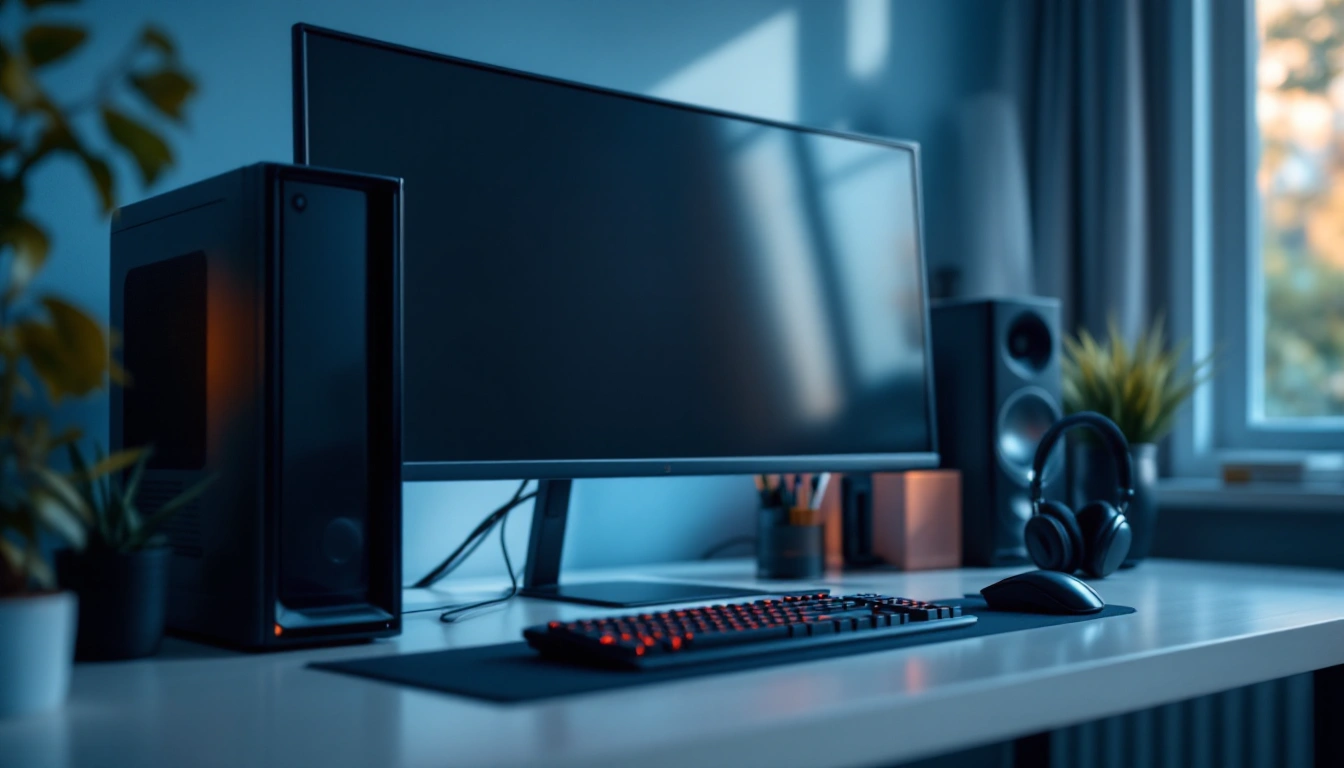
Plug the monitor into the graphics card, not the motherboard. Set Windows to the monitor's full refresh rate, since new PCs often start at 60Hz. Turn on adaptive sync in the graphics driver. Then place the monitor at eye level and about an arm's length away, so long sessions stay comfortable.
If your budget grows, spend it in this order. First, a better graphics card, because it lifts every game. Second, a faster monitor, so you can see the extra frames. Third, a better mouse. Everything else can wait.
A comfortable setup helps you play longer and better. Put the top of the monitor at or just below eye level. Keep the mouse and keyboard at elbow height. Give the PC room to breathe, with a few inches of space behind and beside it. And use a power strip with surge protection, which is a small cost for peace of mind.
Pairing a good PC with a 60Hz monitor. The PC can make more frames than the screen can show.
Buying a 1440p or 4K monitor for an entry-level GPU. The GPU will struggle to drive it in new games.
Spending on RGB before performance. Lighting looks nice but adds no frames.
Forgetting the extras. A monitor cable, a mouse pad and a power strip are small costs that add up.
A budget rig doesn't have to stay a budget rig. Upgrade in the order that gives the biggest change for the money.
A better mouse usually comes first, because it changes how every game feels. A faster monitor comes next if you started on a basic one. After that, add memory or storage as you need it. The graphics card is the big upgrade, and it makes sense once new games start to struggle.
Cable clutter looks messy and traps dust. Run cables along the back of the desk and tie them together. Leave space around the PC so air can flow, and keep it off thick carpet. Clean dust filters every few months. A tidy rig is also easier to upgrade, because you can reach every cable.
The best budget gaming rig spends about two thirds of the money on the PC, mostly on the graphics card, and most of the rest on a fast 1080p monitor. An RTX 5060 desktop like the CyberPowerPC Gamer Master paired with a 144Hz to 180Hz 1080p screen is the balanced starting point. Begin with basic accessories and upgrade them one at a time. If you are starting from nothing, compare this approach with a ready-made gaming PC bundle, and read our budget gaming desktop guide for how to keep the PC upgradeable.
A gaming rig is the whole setup you play on: the PC, the monitor, and accessories like the keyboard, mouse and headset. Planning them together helps you avoid pairing a strong PC with a screen that can't show what it does.
A good rule of thumb is 15 to 25%. For a budget RTX 5060 PC, a 1080p monitor at 144Hz or faster is the right match. A 1440p monitor makes more sense once you move up to an RTX 5070 or higher.
The PC, and specifically the graphics card. Basic accessories work fine to start, and they are easy to upgrade later one at a time.
Only if your graphics card can drive it. A 1080p monitor at 144Hz or faster suits an RTX 5060 better. Save 1440p for an RTX 5070 or higher.