
Our verdict:
Best for most budgets
Best for most gamers who want 1080p high and 1440p in many games, with room to grow.
View at MSIKeep in mind: the Core i5 is fine for gaming but not the fastest for heavy creative work.
Gaming PCs

The short answer
A budget gaming desktop gives you more graphics power than a laptop at the same spend, and you can upgrade it one part at a time. Pick a tower with standard parts, a named power supply and room for a bigger graphics card, such as an RTX 5060 system from a known builder.
MSI Codex R2 (RTX 5070)View at MSIRead our analysis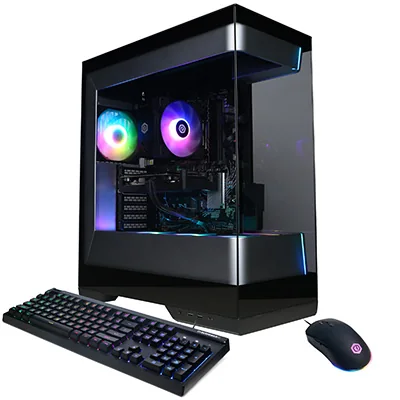 CyberPowerPC Gamer Master (RTX 5060)View at CyberPowerPCRead our analysis
 Skytech Chronos 3 (RTX 3050)View at SkytechRead our analysis
If you want the most gaming performance for the least money, a budget gaming desktop is still the answer. A tower has room for a full-power graphics card, proper cooling and a power supply that can grow with you. A laptop at the same price has to fit all of that into a thin case running on a battery.
Short answer: a budget gaming desktop beats a laptop on performance per dollar and on upgrades. Look for an RTX 5060 or Radeon RX 9060 tower with standard parts, 16GB of memory and a named power supply.
This guide is part of our cheap gaming PCs hub.
NVIDIA's RTX 50 series page lists the current desktop graphics cards and their specs.
We chose these from current listings and builders' published specs.
Our verdict:
Best for most budgets
Best for most gamers who want 1080p high and 1440p in many games, with room to grow.
View at MSIKeep in mind: the Core i5 is fine for gaming but not the fastest for heavy creative work.
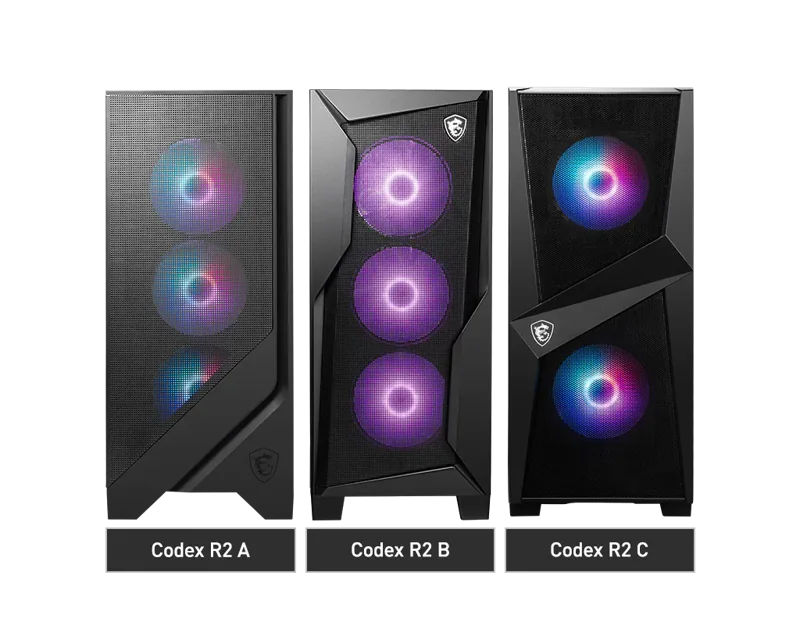
At the top of the budget range, MSI's Codex R2 pairs an RTX 5070 with 12GB of video memory, a Core i5-14400F and 32GB of DDR5. MSI says it uses standard parts, so storage, memory and GPU upgrades are straightforward. It uses a four-fan airflow layout and Wi-Fi 6E.
CyberPowerPC Gamer Master (RTX 5060)
Our verdict:
Best value
Best for 1080p gaming at high settings on a modest budget.
View at CyberPowerPCKeep in mind: check the listed power supply before planning a bigger GPU upgrade.
For a lower budget, the Gamer Master pairs an RTX 5060 with a Ryzen 5 8400F, 16GB of DDR5 and a 1TB PCIe 4.0 SSD. The DDR5 platform leaves room for a faster processor later.
Our verdict:
Best for the tightest budget
Best for esports and older games at 1080p for the lowest outlay.
View at SkytechKeep in mind: an older platform and entry GPU, so new games need low settings.
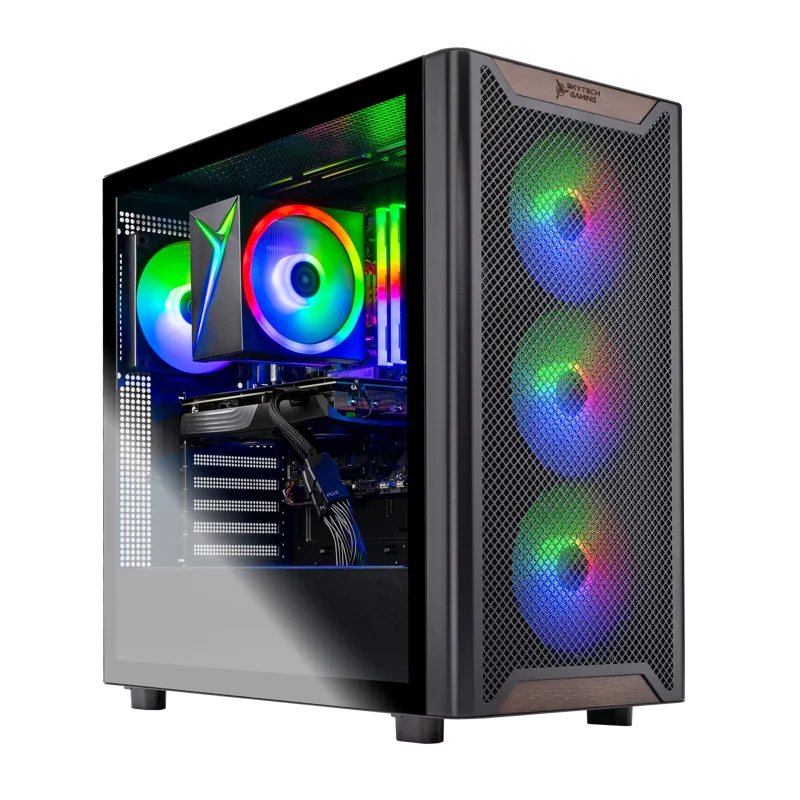
At the entry level, Skytech's Ryzen 5 5500 system pairs a 6GB RTX 3050 with 16GB of DDR4 and a 1TB SSD, in a mesh-front case. It is a sensible start if you plan to upgrade the GPU later.
For more options, see our budget gaming PC roundup.
A budget desktop is often the start of a system you improve over time. These details decide how far you can take it:
Full-power graphics. A desktop GPU runs at its full power limit. Laptop GPUs with similar names usually run at lower limits to control heat, so they deliver less. Our gaming laptop vs desktop comparison explains the gap in detail.
Better cooling. A tower has space for large fans and heatsinks. Parts run cooler and quieter. They also hold their speed in long sessions.
Upgrades. You can swap the graphics card, add memory or add a drive, one part at a time. Most laptops only let you change memory and storage, and some not even that.
Repairs. If a part fails, you replace that part. A failed laptop part often means sending the whole machine away.
The trade-off: a desktop needs a monitor and accessories, and it stays on the desk.
A desktop needs a monitor and accessories. If you don't own them, set aside part of your budget. A 1080p monitor at 144Hz or faster is the natural match for an RTX 5060. Our best budget gaming rig guide explains how to split a budget across the whole setup.
Place the tower where air can reach its intake. On the desk or on a hard floor works well. Avoid thick carpet and closed cabinets, which trap heat and dust. Keep a few inches of space behind the case for the exhaust, and make sure you can reach the front ports for a headset or controller.
Budget desktops can get loud under load. A few free steps help. Keep dust filters clean. Leave space around the case. Use the fan curve settings in the BIOS or the maker's app to slow the fans at light loads.
If you play at a desk, a budget gaming desktop is the better buy. It gives you more graphics power than a laptop at the same spend, and you can upgrade it one part at a time. Choose an RTX 5060 tower like the CyberPowerPC Gamer Master for value, or the MSI Codex R2 if your budget stretches to an RTX 5070. Check the power supply, case size and platform so the desktop can grow with you.
For raw performance per dollar, yes. A desktop graphics card runs at full power without the heat and battery limits of a laptop. A laptop is only the better choice if you need to carry it.
Usually. Most towers from known builders use standard motherboards, memory and storage. The graphics card is the most common upgrade. Check the power supply wattage and the case's GPU clearance before you buy a bigger card.
A monitor, keyboard, mouse and headset, if you don't already have them. Some desktops include a basic keyboard and mouse. Our budget gaming rig guide covers how to split a budget across the whole setup.