
Our verdict:
Best All-Round
Best for most first builds that want strong airflow without extra fans.
View at eBayKeep in mind: it is a large mid-tower, so check the height under your desk.
Gaming PCs
We may earn a commission from some links on this page.
The short answer
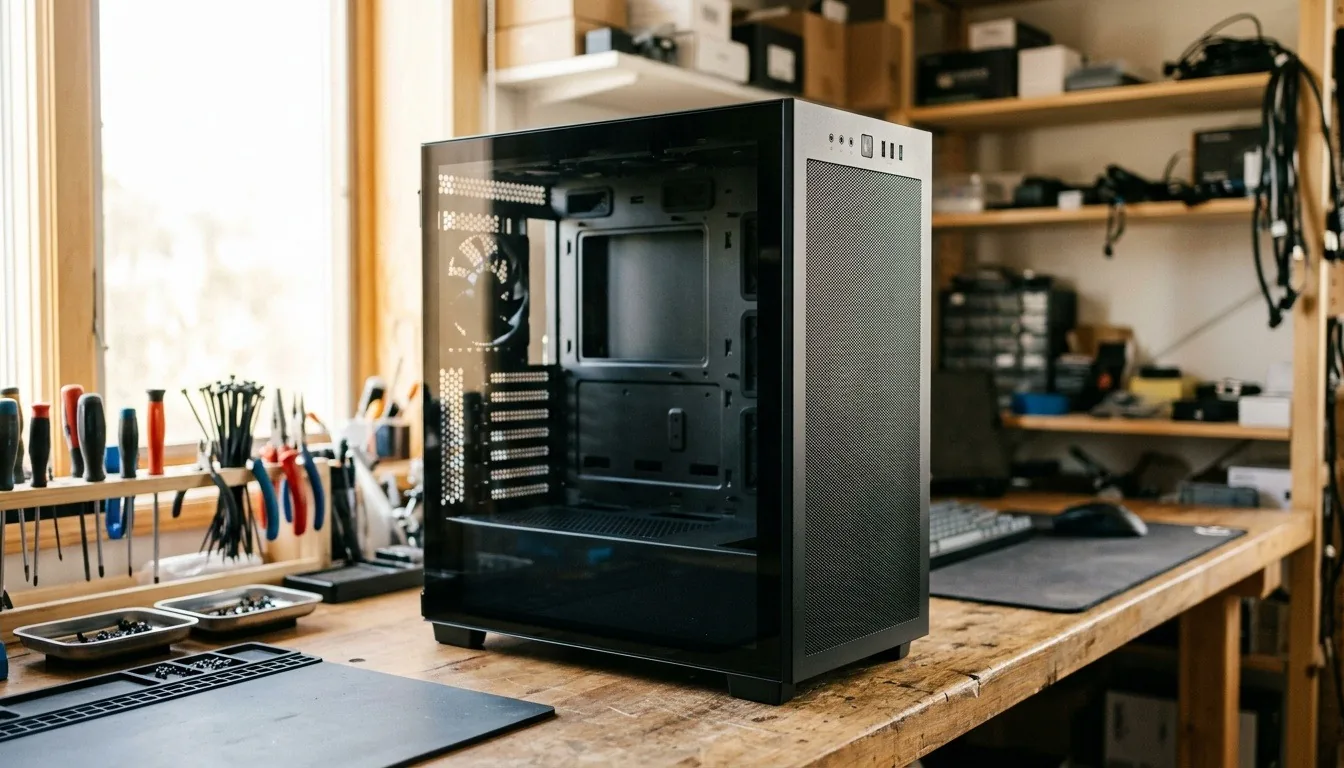
The best gaming desktop chassis for most builds is an airflow-focused ATX mid-tower with a mesh front, at least two included fans and room for a long graphics card. The NZXT H5 Flow suits compact builds, the Lian Li Lancool 216 suits big GPUs, and the Fractal Design North suits builders who want a quieter, wood-front look.
The chassis, or case, is the part of a gaming desktop you look at every day, but its real job is airflow. A good case keeps the graphics card and processor cool enough to hold their full speed, makes building easy, and leaves room for upgrades.
Short answer: choose an ATX mid-tower with a mesh front, at least two included fans and enough clearance for your graphics card. The Lian Li Lancool 216 is our all-round pick.
This guide is part of our cheap gaming PCs hub.
NVIDIA's RTX 50 series page lists the current desktop graphics cards and their specs.
We chose these from current US listings and each maker's published specs.
Our verdict:
Best All-Round
Best for most first builds that want strong airflow without extra fans.
View at eBayKeep in mind: it is a large mid-tower, so check the height under your desk.
The Lancool 216 uses a steel frame with two 160mm ARGB front fans. It fits graphics cards up to 392mm long, and its motherboard I/O can be moved up or down to suit air or liquid cooling. Lian Li includes cable grommets, Velcro straps and clips for tidy cabling.
Our verdict:
Best Compact Mid-Tower
Best for a tidy, compact mid-tower for a first build.
View at eBayKeep in mind: check which fans come with your listing and budget for more if needed.
The H5 Flow is a compact ATX mid-tower with ultra-fine mesh on the top, front and side panels. It includes two 120mm fans, supports a 360mm radiator in front and a 240mm radiator on top, and has a perforated power supply shroud that lets air reach the graphics card.
Our verdict:
Best Looks
Best for a gaming PC that looks like furniture rather than a spaceship.
View at eBayKeep in mind: only two fans in the box, so add more for a hot GPU.
The North pairs a genuine walnut or oak front with mesh side panels. It includes two 140mm Aspect PWM fans and fits graphics cards up to 355mm, or 300mm with a 360mm front radiator. It suits builders who want a desk-friendly look.
Our verdict:
Most Modular
Best for builders who want a modular case with room for big radiators.
View at eBayKeep in mind: a large mid-tower, so measure your desk space first.
The 4000D RS Frame is part of Corsair's modular Frame system. It includes three RS PWM fans with a zero-RPM mode and uses InfiniRail mounting for flexible fan placement. Its steel front panel uses a 3D Y-pattern for airflow.
Our verdict:
Best Small ATX
Best for a full ATX build in a smaller-than-usual case with fans already fitted.
View at eBayKeep in mind: a compact layout leaves less room for very long graphics cards.
The Lancool 207 is a compact case that still takes an ATX board. It includes four fans, two 140mm ARGB fans in front and two 120mm fans that blow directly at the graphics card from below. It moves the power supply to the front and includes an adjustable GPU support bracket.
Our verdict:
Most Fans Included
Best for a budget build that wants lots of fans in the box.
View at eBayKeep in mind: a budget case, so cable-management space is more basic.
The Montech X5 includes three 140mm ARGB front fans and a 120mm rear fan. It fits graphics cards up to 410mm, supports a 360mm radiator at the top or front, and has top and bottom dust filters plus a front USB-C port.
1. Airflow first. Look for a mesh or perforated front panel. Solid glass fronts look sleek but can trap heat.
2. Motherboard size. ATX mid-towers fit ATX, micro-ATX and mini-ITX boards. Smaller cases limit you to smaller boards.
3. GPU clearance. Check the maximum graphics card length and compare it with your card's length.
4. Cooler and radiator support. Check the maximum CPU cooler height and which radiator sizes fit where.
5. Included fans. More included fans save money. Two is the minimum; three or four is better.
6. Cable management. Channels, straps and space behind the motherboard make building easier and airflow cleaner.
7. Front ports. A USB-C port on the front panel is handy for phones and fast drives.
Choosing looks over airflow. Glass fronts with small vents can run hot.
Not checking GPU length. A card that doesn't fit is the most common case problem.
Forgetting the cooler height. Tall tower coolers don't fit every case.
Skipping fans. A case with only one fan often needs more for a gaming build.
If looks are part of the goal, our cool gaming PC guide covers showcase cases and lighting. If you want a very small build, see our small form factor gaming PC guide.
The best gaming desktop chassis for most builds is an airflow-focused ATX mid-tower with a mesh front and several included fans. The Lian Li Lancool 216 is our all-round pick for its big fans and GPU clearance. The NZXT H5 Flow suits compact builds, the Fractal Design North suits buyers who want a wood-front look, and the Montech X5 includes the most fans. Check GPU length and cooler height against your parts before you order.
An ATX mid-tower suits most gaming builds. It fits a standard ATX motherboard, a long graphics card and a 240mm or 360mm radiator. Choose a smaller case only if you are building with a micro-ATX or mini-ITX board.
Indirectly, yes. A case with poor airflow lets parts run hotter, and hot graphics cards and processors lower their speed to protect themselves. A mesh-front case helps them hold full speed.
At least two to start: one intake at the front and one exhaust at the rear. Three or more helps with high-end graphics cards. Several cases include enough fans that you won't need to buy more.