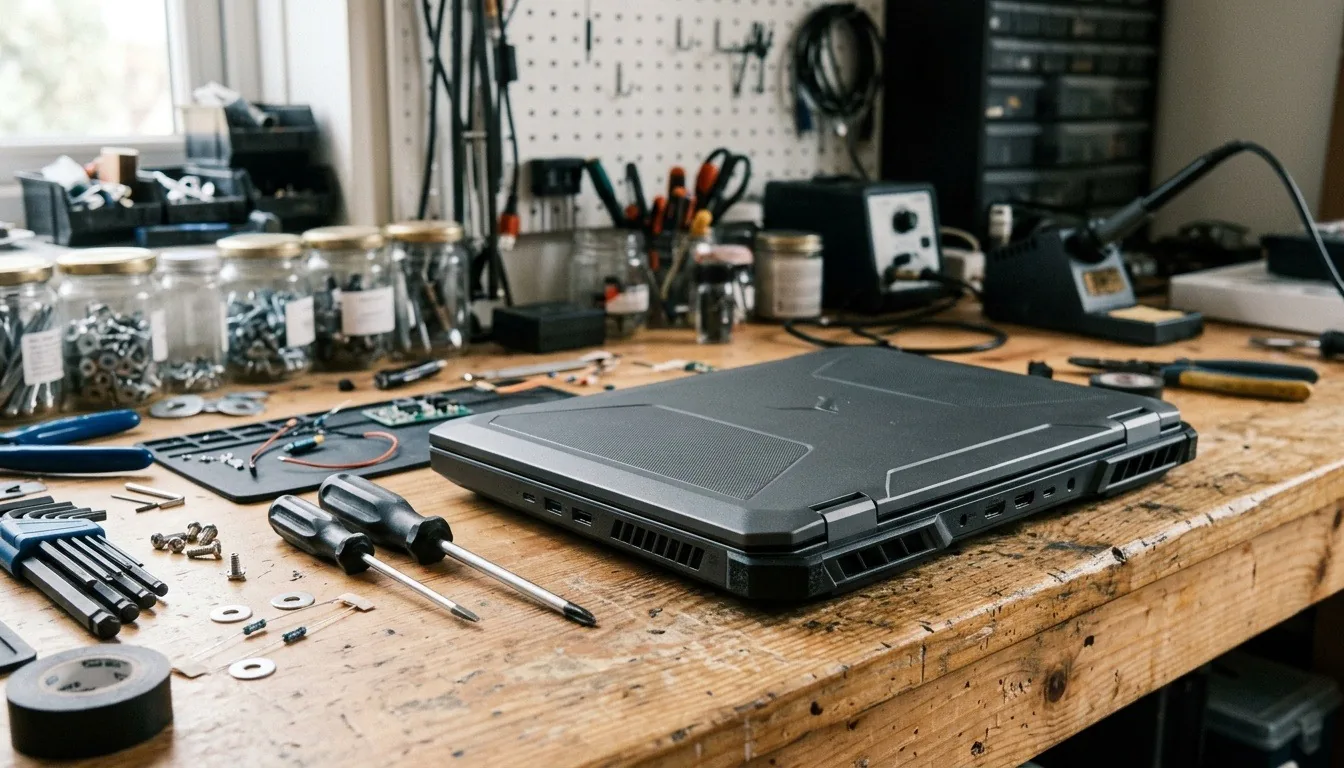
4 Durable Gaming Laptops That Actually Hold Up in 2026
The short answer
A durable gaming laptop comes down to chassis material, hinge design, and cooling that doesn't run hot enough to stress internal parts over time. Check these details directly instead of assuming a brand or price guarantees durability.
Looking for a durable gaming laptop means looking past the GPU and RAM numbers on a spec sheet. It means looking at details that rarely get marketing attention. Chassis material matters. Hinge quality matters. How much heat the internal parts deal with over years of use matters most.
A durable gaming laptop comes down to three things. Chassis material matters. Hinge design matters. Cooling that keeps internal parts from running hot constantly matters most of all. Check these details directly. Neither price nor brand name reliably predicts durability on their own.
This guide is part of our best gaming laptop guide, which covers build quality alongside GPU tier, cooling and screens.
ASUS publishes the MIL-STD-810H test list it uses for its TUF gaming laptops, which is a useful example of what these tests cover.
We chose these from current US listings and each maker's published specs. No spec sheet can promise how long a laptop will last. Each of these has a clear, published durability feature.
#1. ASUS TUF Gaming F16 (RTX 5050): Best tested-tough budget pick
Keep in mind: the 512GB drive and entry-tier GPU mean medium settings and a storage upgrade soon.
ASUS tests its TUF line to MIL-STD-810H, which covers drops, vibration, humidity and extreme temperatures. The F16 adds an RTX 5050 that runs at up to 115W and a 16-inch 165Hz screen. It cools with Arc Flow fans and a full-width heatsink. Good cooling helps too. Parts that run cooler age more slowly.
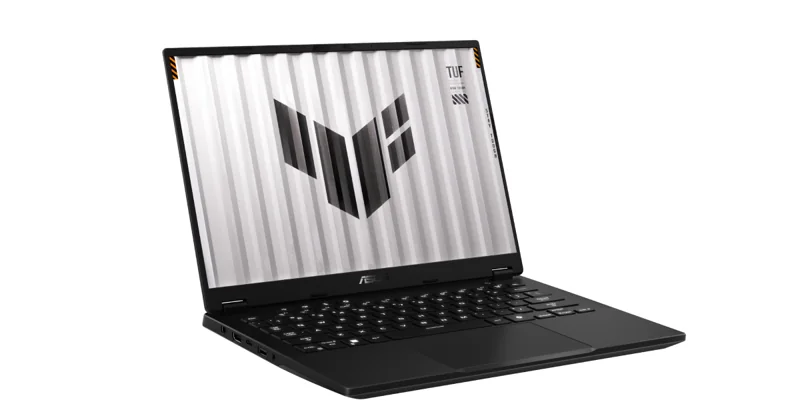
#2. ASUS TUF Gaming A14 (RTX 4060): Best durable 14-inch
Keep in mind: the memory is soldered, so 16GB is what you keep.
The smaller TUF Gaming A14 gets the same MIL-STD-810H testing in a 14-inch body. That suits daily travel. It has an RTX 4060 and a 2560 x 1600 screen at 165Hz, cooled by two 89-blade fans. The memory is soldered, so you can't add more. There is a second SSD slot for storage.
#3. Alienware 16 Aurora (RTX 5060): Best repair support
Keep in mind: you pay more for the brand and support than for extra GPU power.
Durability is also about what happens when something breaks. Check the seller's warranty and service terms before buying an Alienware 16 Aurora. It pairs an RTX 5060 with a 16-inch 2560 x 1600 screen and Dell's Cryo-Chamber cooling design.
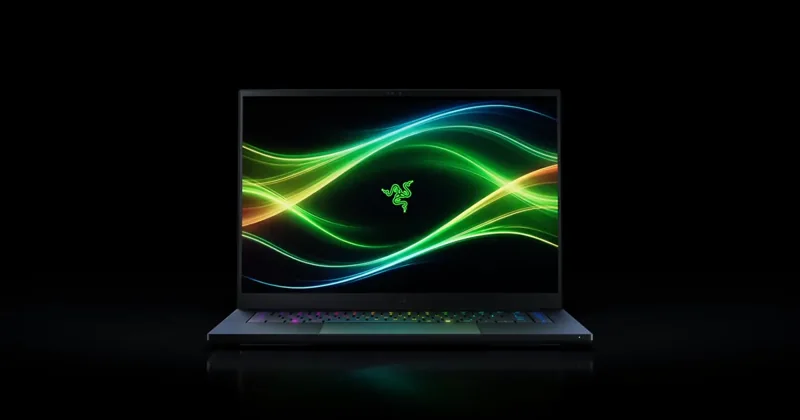
#4. Razer Blade 16 (2026, RTX 5070 Ti): Best metal build
Keep in mind: you pay a premium for the build, and the memory is soldered.
The Blade 16 takes a different route. Its body is machined from aluminum, which flexes less than plastic. It runs an RTX 5070 Ti at up to 140W, cooled by a vapor chamber. It is a premium machine, so check the warranty and repair terms before you buy.
Factors to consider when choosing a durable gaming laptop
Look for a metal chassis or metal-topped lid if durability is a priority. Read reviews that discuss hinge stiffness and keyboard wear. Port fit after extended testing matters too. A first impression out of the box tells you less.
Check for a dual-fan cooling design. It protects internal components from excess heat over the long run. It matters for more than just frame rates in the short run. None of these details show up clearly in a quick spec comparison. A few extra minutes reading real reviews pays off.
Chassis Material: The First Thing to Check
A metal chassis, or at least a metal-topped lid, resists flex and dents noticeably better than an all-plastic build. This matters most for anyone who carries the laptop often. A plastic chassis is more likely to show wear. This happens from being placed in and out of a bag over and over.
An all-plastic laptop isn't automatically fragile, though. Build quality varies within materials too. Check reviews that specifically mention flex or creaking in the keyboard deck. Don't assume metal always beats plastic outright. A poorly-built metal laptop can still feel worse than a well-built plastic one.
Weight is a trade-off worth knowing about here. A metal chassis often adds a bit of weight compared to plastic. For most buyers, this small weight difference is worth the added durability. It's still worth factoring in if you travel with the laptop often.
Hinge Design: A Small Part That Matters a Lot
The hinge is one of the most-used moving parts on any laptop. It gets opened and closed potentially thousands of times over its life. A well-built hinge shouldn't wobble or loosen noticeably within the first year of normal use.
Reviews that mention hinge stiffness or wobble after extended testing are worth reading closely. This detail is easy to miss in a quick first-look review. It becomes obvious only after months of daily opening and closing.
A loose hinge doesn't just feel bad. Over time, it can also stress the cables that run through it to the screen. This can lead to display problems down the road. This is one reason hinge quality matters more than it might seem at first glance.
Cooling and Long-Term Reliability
Heat is one of the biggest factors in how long internal components stay reliable. A laptop that runs hot constantly under gaming loads puts more thermal stress on its motherboard. It stresses the battery too, along with other internal parts. A laptop with effective cooling puts far less stress on the same parts.
This is why cooling quality matters for durability, not just for frame rates. A well-cooled gaming laptop is more likely to still perform reliably after a few years. A poorly-cooled one with the same components has been running its parts hotter the whole time. This holds true even if the specs on paper look identical.
Dust buildup makes this worse over time on any laptop. A laptop with an easily removable bottom panel makes cleaning dust out of the fans simpler. This upkeep step can meaningfully extend a laptop's cooling performance, and by extension its durability, over several years.
Keyboard and Everyday Wear
The keyboard sees more physical contact than almost any other part of a laptop. Check reviews or key switch specifications for information on wear resistance. Some keyboards start to feel mushy sooner than others. Some develop shiny, worn keys sooner too.
A keyboard that feels solid when new isn't a guarantee of long-term durability by itself. Combine that with a metal deck underneath. Together, it's a reasonable sign the whole laptop was built with longevity in mind.
Spill resistance is a related detail worth checking if you eat or drink near your laptop often. Some gaming laptops include a drainage design under the keyboard. This can reduce damage from a minor spill. It isn't standard across the market, though.
Battery Health Over Time
A gaming laptop's battery degrades faster under the heat generated by regular gaming sessions than a battery in a laptop used mainly for light tasks. This is a normal trade-off of gaming laptops generally, across nearly every brand and price tier. Cooling quality still affects how much extra stress the battery takes on, though.
Some models allow battery replacement more easily than others. Checking whether a laptop's battery can be serviced or replaced is worth doing. This matters if you plan to keep the laptop for many years. A laptop that still runs well otherwise shouldn't need full replacement just because the battery has worn down.
Charging habits also affect battery longevity a little. Keeping a laptop plugged in constantly at full charge can add extra wear over years of use. Modern laptops manage this better than older ones did, though.
Port and Connector Durability
Ports see repeated use from charging cables, external monitors, and peripherals. A reinforced or well-anchored port connector resists wear better than a loosely mounted one. Repeated plugging and unplugging is where the difference shows up most.
This detail rarely appears on a spec sheet. Reviews that mention port fit and connector feel after extended use help more. The listing itself won't tell you this. A port that feels loose out of the box is a warning sign. It won't tighten up with use.
The charging port sees the most repeated use of any port on a gaming laptop. It gets plugged and unplugged daily in most households. A laptop that supports charging through more than one port type helps too. It can reduce wear on a single connector over time.
Durability by How You Use the Laptop
A laptop that mostly stays on a desk faces less physical wear than one carried daily in a bag. If your laptop rarely travels, chassis material and hinge wear matter less. Cooling becomes the dominant factor in long-term reliability instead.
A laptop that travels often faces more risk from drops, bag pressure, and temperature swings between environments. For this use case, a sturdier chassis and a well-built hinge matter more. A padded sleeve or case for actual transport helps too.
Common Durability Myths Worth Skipping
A higher price does not automatically mean a more durable laptop. Some expensive laptops prioritize thinness over ruggedness, trading durability for a slimmer profile. Some mid-range laptops use a sturdier design specifically because they aren't chasing the thinnest possible chassis.
A well-known brand name is not a guarantee of durability either. Durability varies by specific model within a brand's own lineup. Sometimes it varies as much as it does between entirely different brands.
Screen and Display Durability
The screen is one of the more fragile parts of any laptop. It's thin, and it sits fully exposed when the lid is open. A well-built lid should resist flex when you press on the back of the screen gently. Excess flex can eventually stress the display panel underneath.
Screen coating quality also varies by model. Some coatings resist fingerprints and light scratches better than others. This mostly affects everyday appearance rather than function. A scratched screen can still be distracting during long gaming sessions, though.
Bezels around the screen offer a small amount of protection against minor bumps to the edge of the display. A laptop with very thin bezels looks sleek but offers less of this buffer. This is a minor trade-off worth knowing about if you handle your laptop roughly.
Cleaning and Basic Maintenance
Regular cleaning extends a gaming laptop's durability more than most buyers expect. Dust buildup inside the cooling system is one of the most common causes of rising temperatures over time. This extra heat then stresses internal components more than they were designed for.
A laptop with a bottom panel that's easy to remove makes this maintenance simple. Compressed air through the exhaust vents helps too. Do this every few months. It works without needing to open the laptop at all.
Keeping the exterior clean matters too, though mostly for appearance and keyboard feel rather than internal durability. Crumbs and dust under keys can affect how they feel over time. They don't threaten the laptop's core components, though.
Climate and Environmental Factors
Humidity and temperature swings can affect a laptop's long-term durability. This matters most for buyers who travel between very different climates. Extreme heat can speed up battery wear. Sudden temperature changes can also cause a problem. Moving a laptop from a cold car into a warm room can occasionally cause condensation to form inside it.
Letting a laptop adjust to room temperature before turning it on is a simple habit. Do this after moving between very different environments. It can help avoid this kind of issue. This matters more for buyers in extreme climates than for most everyday use cases.
Warranty Length as a Durability Signal
A brand's warranty length can be a useful signal. It's an imperfect one, but it hints at how confident a brand is in its own build quality. A longer standard warranty sometimes correlates with better expected reliability, though this isn't a guarantee on its own.
Extended warranty options are worth considering for a gaming laptop specifically. Gaming puts more heat and stress on internal components than lighter everyday use does. Weigh the extra cost against how long you plan to keep the laptop before deciding.
Signs a Gaming Laptop Is Aging Well or Poorly
A laptop aging well tends to keep a tight hinge. Its chassis still feels solid. Cooling performance stays close to how it behaved when new. Fan noise staying roughly consistent is often a good sign of a healthy cooling system. Fan noise that grows louder over time is not.
Inspect loose hinges, unusual chassis flex and changes in temperatures under a consistent workload. Address mechanical damage and cooling faults promptly. Use the maker's cleaning and service instructions, and seek repair support when the fault requires disassembly.
Speakers, Microphone, and Webcam Wear
Speakers and microphones see less physical wear than a hinge or a keyboard. They have no moving parts you touch directly. They can still degrade slightly over years of heavy use. This happens most if a laptop runs hot near where these parts sit inside the chassis.
Webcams rarely fail from mechanical wear, since most are fixed in the bezel with no moving parts. Software issues are more common than hardware failure here. These are usually fixable with a driver update rather than a repair.
Software Longevity and Driver Support
A durable gaming laptop isn't just about the physical hardware. A brand's own update schedule matters too. How long it keeps releasing driver and firmware updates for a model affects how well that laptop performs years down the road. A model that stops receiving updates early can start to feel outdated in software terms. This can happen well before its hardware actually wears out.
Checking a brand's track record for driver support on older models helps. It gives a rough sense of what to expect from a current purchase. Brands that support models for several years after launch offer better long-term software durability, not just physical durability.
Repairability and Third-Party Service
Some gaming laptops are easier for independent repair shops to service than others, based on how the internals are assembled. A laptop that uses more standard screws and connectors is generally easier to repair outside of the original manufacturer. Heavily glued or proprietary parts make third-party repair harder and pricier.
When warranty coverage ends, compare the repair quote with the cost of a suitable replacement. Check parts availability and the exact service procedure before committing. Accessible components can make a repair practical, but the fault and required parts decide the cost.
Comparing Durability Across Price Tiers
Entry-level gaming laptops sometimes cut corners on chassis material and cooling to hit a lower price. This can shorten their practical lifespan compared to a well-built mid-range model. This isn't universal. Some budget models still use a surprisingly sturdy design.
Premium gaming laptops don't automatically win on durability either, since some prioritize a thin, light chassis over ruggedness. The mid-range tier often has the most consistent durability across models. It isn't chasing the thinnest possible design the way some premium lines do.
Real-World Signs to Watch For After Purchase
In the first few weeks of ownership, pay attention to a few things. Notice how the hinge feels when opening and closing the lid. Check whether the keyboard deck flexes under normal typing pressure. Listen for whether fan noise seems reasonable for the workload. These early impressions are a useful baseline to compare against later.
Over the following months, watch for any change in these same signs. Watch for a hinge that starts to feel looser. A chassis that flexes more than it did at first is another sign. So is fan noise that climbs for the same games you always play. All three are early indicators worth addressing before they become bigger, more expensive problems.
Transport Cases and Everyday Protection
A padded sleeve or a dedicated laptop bag reduces daily wear and tear. This helps most if you toss the laptop into a regular backpack alongside other items. This is a small, low-cost habit that protects the chassis and screen from scratches and minor impacts.
A hard-shell case adds another layer of protection during flights or longer trips. This helps most for anyone who travels often with a gaming laptop. This is worth the extra cost if you travel frequently. It's less necessary for a laptop that mostly moves between a desk and a nearby room.
Durability by Part: What Fails and What to Check
Hinges. The hinge takes stress every time you open the lid. Look for hinges that feel firm through their whole range, with no wobble at the top of the screen. Open the laptop from the middle of the lid, not a corner.
Fans. Fans run hard in games and collect dust over time. A laptop with easy access to its fans, or at least clear vents you can blow out, is easier to keep healthy.
Battery. Heat and constant full charge both wear a battery. Many gaming laptops include a charge limit setting in the maker's app. Use it if your laptop lives on a desk.
Keyboard. Gaming laptops see heavy key use. Keys like W, A, S and D wear first. A replaceable keyboard is a plus, and an external keyboard at your desk saves the built-in one.
Ports. Charging and USB-C ports take repeated plugging. A charger with a right-angle plug puts less strain on the port.
Screen. Pressure on a closed lid can damage the panel. Don't carry the laptop with items pressed against the lid, and use a padded sleeve.
A Simple Care Routine
Once a month, check the vents for dust and blow them out with short bursts of compressed air. Every few months, check the hinge for new wobble and the charger cable for fraying. Once a year, check the battery health in the maker's app. These small checks catch problems before they end the laptop's life.
Verdict on a Durable Gaming Laptop
A durable gaming laptop comes down to chassis material, hinge design, and cooling that keeps internal parts from running hot constantly. Check these specific details directly. Don't assume a brand name or a higher price guarantees durability. Both can mislead you on this specific spec.
FAQ
What makes a gaming laptop durable?
Chassis material, hinge design, and cooling quality matter most. A metal chassis resists flex better than plastic. A solid hinge doesn't loosen quickly. Good cooling reduces the heat stress that shortens a laptop's life.
Does a higher price mean a more durable laptop?
Not automatically. Some pricier laptops prioritize thinness over durability. Some mid-range models use a sturdier build instead. Check reviews and specific build details rather than assuming price predicts durability.
Do gaming laptops wear out faster than regular laptops?
They can. Gaming pushes components harder and generates more heat. A durable gaming laptop with good cooling narrows this gap. Heat-related wear is less of a concern than on a poorly-cooled model.
How long should a durable gaming laptop last?
A well-built, well-cooled gaming laptop can reasonably last several years of regular use before components feel outdated. Cheaper, poorly-cooled models often show wear and thermal issues sooner.
Does MIL-STD-810H mean a laptop is rugged?
No. It means the maker ran the laptop through tests from a US military standard, such as drops and vibration. It is a useful sign of build quality, but it is not the same as a rugged field laptop.
How long should a gaming laptop last?
With care, a well-built gaming laptop can stay in use for several years. The GPU usually decides when it feels too slow for new games, while a worn battery or fan can often be replaced.