
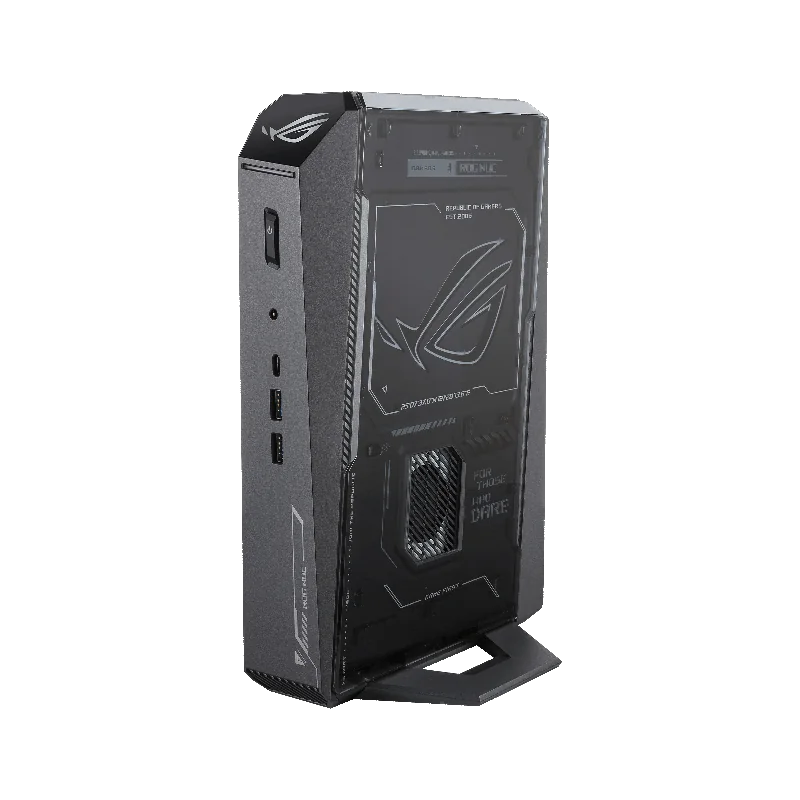
ASUS ROG NUC 2025 (RTX 5070 mobile)
Our verdict:
Best mini PC overall
Best for a very small gaming PC with plenty of memory out of the box.
View at ASUSKeep in mind: a mobile GPU in a small box, so upgrades are limited to memory and storage.
Gaming PCs
The short answer
A compact gaming computer can game well if it has a real dedicated GPU and a cooling system built for it. For the smallest footprint, a gaming mini PC like the ASUS ROG NUC or MINISFORUM G1 Pro works. For more power in a still-small box, a compact desktop like the CORSAIR ONE i500 is the better buy.
ASUS ROG NUC 2025 (RTX 5070 mobile)View at ASUSRead our analysis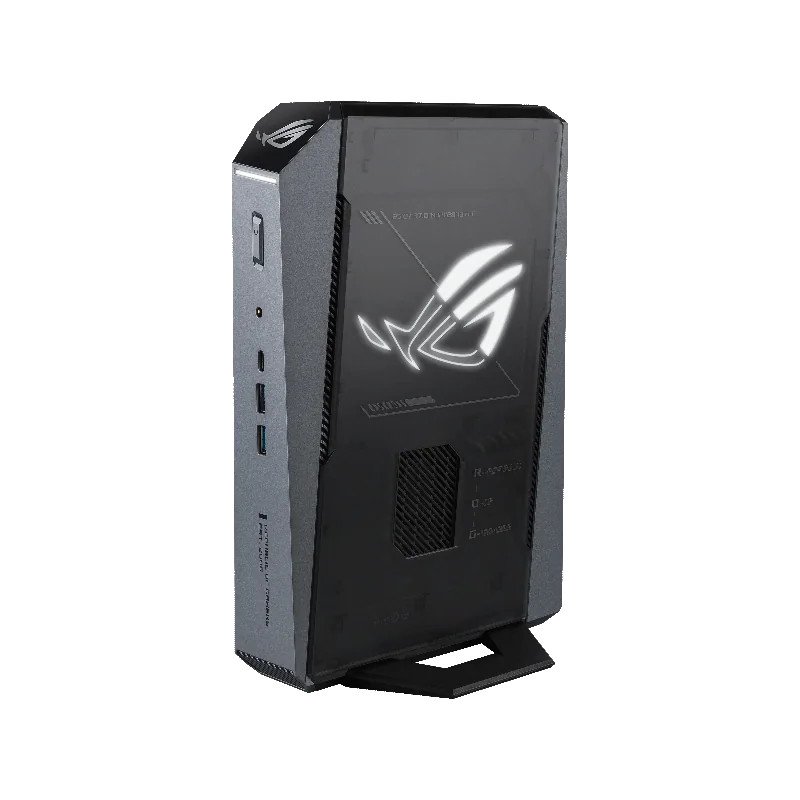 ASUS ROG GR70 Mini PC (RTX 5070)View at ASUSRead our analysis
 MINISFORUM G1 Pro (RTX 5060)View at MINISFORUMRead our analysis
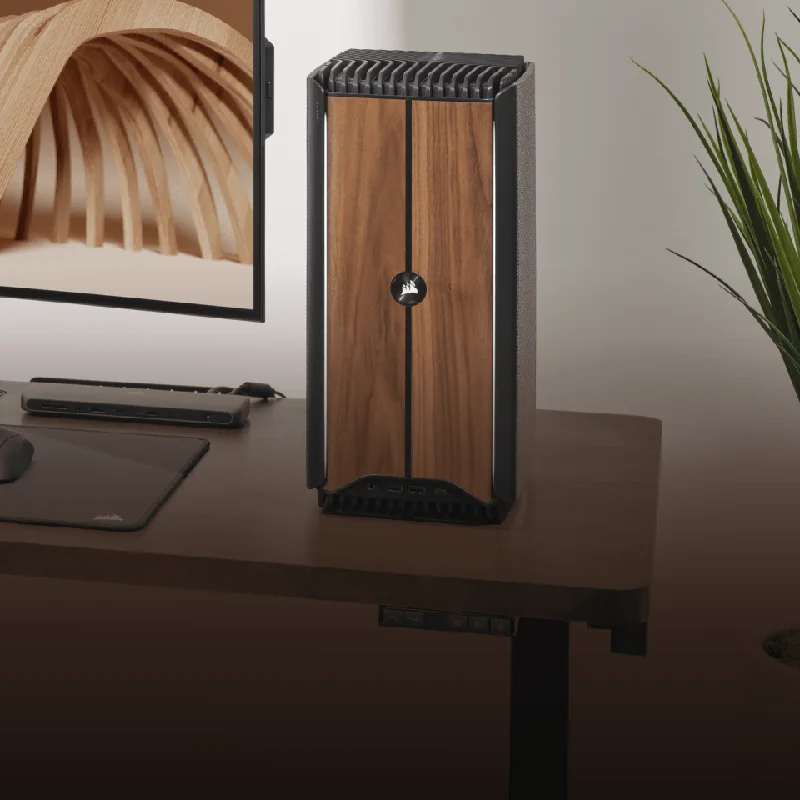 CORSAIR ONE i500 (RTX 5070)View at CorsairRead our analysis
A compact gaming computer is for people who want real gaming performance without a big tower on the desk or under the TV. The category covers two very different kinds of machine: tiny mini PCs built around laptop parts, and small desktops that use full-size parts in a shrunken case. Knowing which is which is the key to buying well.
Short answer: for the smallest box, choose a gaming mini PC with a dedicated GPU, such as the ASUS ROG NUC. For more power, choose a compact desktop like the CORSAIR ONE i500, which houses a desktop RTX 5070 in a compact wood-front tower.
This guide is part of our cheap gaming PCs hub. If you want to build a small PC yourself, see our small form factor gaming PC guide.
NVIDIA's RTX 50 series page lists the current desktop graphics cards and their specs.
We chose these from current US listings and each maker's published specs.
ASUS ROG NUC 2025 (RTX 5070 mobile)
Our verdict:
Best mini PC overall
Best for a very small gaming PC with plenty of memory out of the box.
View at ASUSKeep in mind: a mobile GPU in a small box, so upgrades are limited to memory and storage.
The ROG NUC fits an Intel Core Ultra 9 processor and an RTX 5070 mobile GPU into a 3-liter chassis. ASUS cools it with three fans and dual vapor chambers. It has 32GB of DDR5 and a 1TB NVMe SSD, and thumb screws give tool-free access to memory and storage.
Who it suits: living room and small-desk gaming where size matters most.
ASUS ROG GR70 Mini PC (RTX 5070)
Our verdict:
Best Ryzen mini PC
Best for a living-room or small-desk gaming PC that takes up very little space.
View at ASUSKeep in mind: the GPU is a mobile chip, so it trails a desktop RTX 5070 and cannot be swapped.
The ROG GR70 pairs a Ryzen 9 9955HX with an RTX 50 series mobile GPU in a compact silver chassis. It has Wi-Fi 7 and Bluetooth 5.4, and ASUS describes a custom cooling system designed to stay quiet under load.
Who it suits: buyers who prefer AMD processors in a small gaming box.
Our verdict:
Best value mini PC
Best for 1080p gaming from a small box with plenty of memory.
View at MINISFORUMKeep in mind: a smaller brand, so check warranty and support terms before you buy.
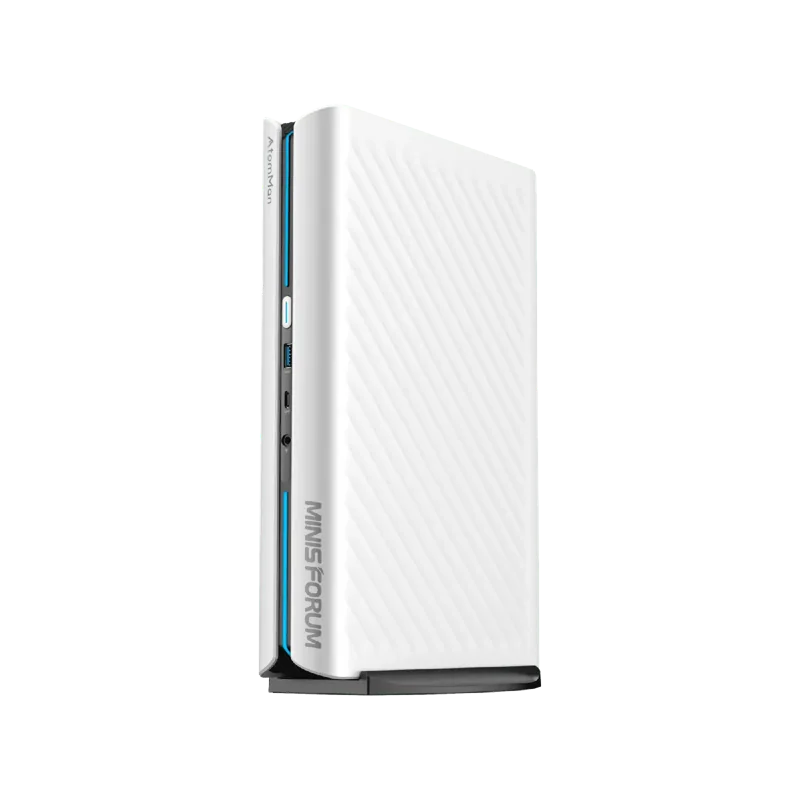
The G1 Pro stands out because it uses a desktop RTX 5060 running at 145W, rather than a laptop GPU. It pairs it with a 16-core Ryzen 9 8945HX, 32GB of DDR5 and a 1TB SSD. MINISFORUM lists a cooling system rated for up to 300W, 5Gb Ethernet, Wi-Fi 7 and up to five display outputs.
Who it suits: buyers who want desktop-class 1080p gaming in a mini PC.
Our verdict:
Best small desktop for 1440p
Best for buyers who want desktop RTX 5070 gaming in a compact wood-front tower.
View at CorsairKeep in mind: larger than the mini PCs here, and its compact layout limits the size of future GPU upgrades.
The CORSAIR ONE i500 is a compact desktop with a wood-accented front and a micro-ATX motherboard. This configuration pairs a desktop RTX 5070 with an Intel Core i9-14900F, 32GB of DDR5-6000 and a 1TB SSD. It uses liquid CPU cooling and a 1000W SFX Gold power supply. It is larger than the mini PCs above, but supports more desktop components.
Who it suits: buyers who want high-end 1440p gaming in a small, upgradeable box.
Mobile or desktop GPU. A mobile RTX 5070 is not the same as a desktop RTX 5070. It runs at a lower power limit and is usually slower. Check the listing wording closely.
Cooling design. Small boxes run hot. Look for multiple fans, vapor chambers or liquid cooling, and read reviews that measure noise under load.
Power brick or internal supply. Many mini PCs use an external power brick, which adds clutter behind the desk. Compact desktops usually have an internal supply.
Ports. Count the display outputs and USB ports. Small boxes sometimes save space by cutting ports.
Upgrades. Mini PCs with laptop parts cannot change the GPU. If you want to upgrade graphics later, choose a compact desktop.
Gaming mini PCs are tiny boxes, some around 3 liters. Most use laptop processors and mobile GPUs. They are quiet at idle and easy to place anywhere, but they cannot take a new graphics card later.
Compact desktops use full desktop parts in a small case, often between 10 and 20 liters. They run a full-power desktop GPU and can be upgraded, but they are bigger than a mini PC.
| Type | Typical size | GPU | Upgrades |
|---|---|---|---|
| Gaming mini PC | About 3 liters | Mobile GPU, sometimes desktop | Memory and storage |
| Compact ITX desktop | About 10 to 20 liters | Full desktop GPU | Most parts, if they fit |
Scroll for more →
If none of those matter to you and space does, a compact gaming computer is a great fit. If you have room for a tower, a full-size desktop gives more performance for the money. See our best gaming PC roundup for those.
A compact gaming computer is worth it when space matters more than upgrades. For the smallest footprint, the ASUS ROG NUC fits an RTX 5070 mobile GPU into 3 liters. For desktop-class 1080p gaming in a mini PC, the MINISFORUM G1 Pro uses a full desktop RTX 5060. For the most power in a small box, the CORSAIR ONE i500 pairs a desktop RTX 5070 with liquid CPU cooling in a compact tower. Check whether the GPU is mobile or desktop before you buy, because that decides both performance and upgrades.
Yes, if it has a dedicated graphics card. Compact gaming computers with an RTX 5060 or RTX 5070 class GPU play current games at 1080p and often 1440p. Avoid mini PCs that rely on integrated graphics if you want to play new releases.
A mobile GPU is the laptop version of a graphics card. It runs at a lower power limit to stay cool, so it is usually slower than the desktop card with a similar name. Some compact systems use a full desktop GPU instead.
Memory and storage, usually yes. The graphics card, often no. Mini PCs with laptop GPUs cannot swap the GPU at all. Compact ITX desktops can, if the new card fits the case.